What you’re building
A design services marketplace where:
- Designers showcase portfolios in a gallery-heavy listing, set Basic / Standard / Premium package pricing, and define the number of revision rounds per tier.
- Clients browse by category (logo, web, brand, illustration), pick a package, fill the designer’s brief, and run through a delivery / revision / approve cycle.
- You take a commission, surface top designers via seller levels, and never touch a Photoshop file.
Why this niche fits WP Sell Services
Design work is the textbook case for tier-based service selling. Every freelancer prices the same way: a logo for $50 (1 concept, no revisions), $200 (3 concepts, 2 revisions), or $500 (3 concepts, 2 revisions, brand guidelines, social variants). The plugin’s three-tier package UI maps exactly.
The order workflow handles the messy part most marketplace plugins ignore: the buyer fills a brief, the designer delivers files, the buyer requests revisions a fixed number of times, the order auto-completes if the buyer stops responding. That’s the actual lifecycle of a design gig.
What you skip versus a WooCommerce build
You’re not stacking 4 plugins to fake this. Specifically:
- Requirements form is built in. WooCommerce + Dokan + custom field plugin would mean real glue work to get the equivalent.
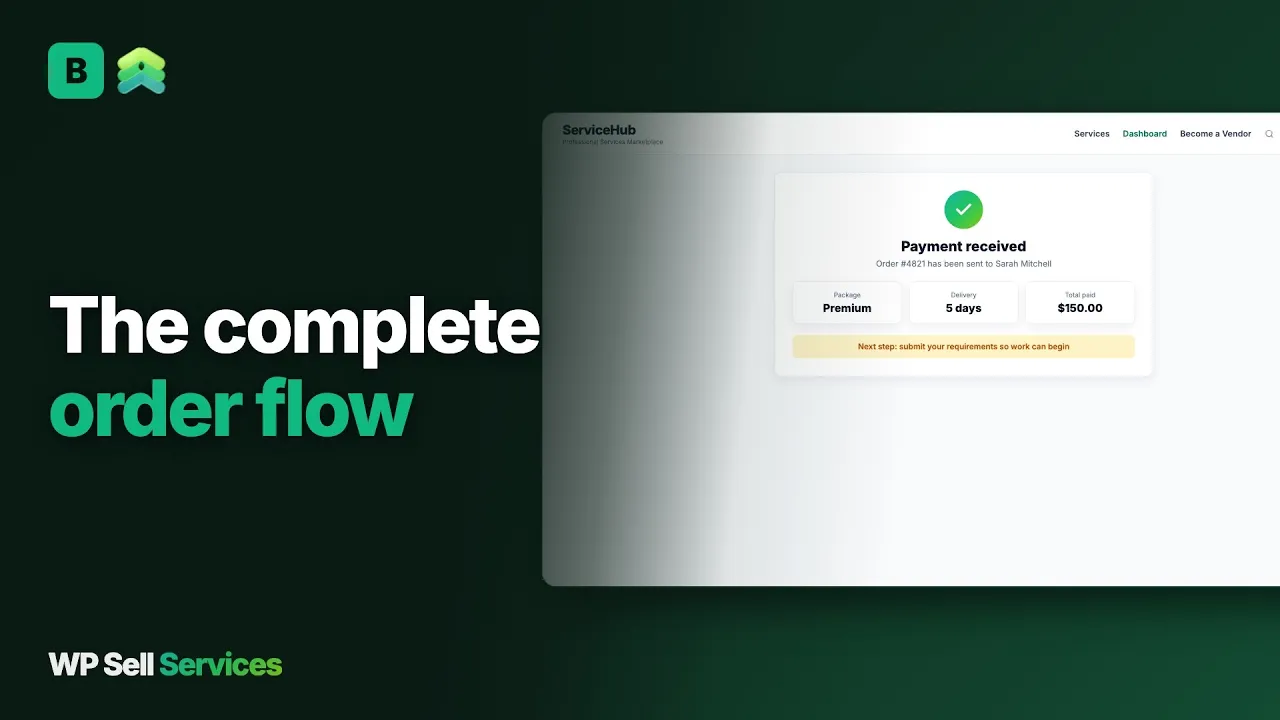
- Revision tracking is a first-class order state. Standard WooCommerce orders go “processing → completed.” Here, orders go “pending payment → waiting for requirements → in progress → delivered, pending approval → revision requested → completed.” That state machine is the difference.
- Delivery files attach to the order, not the product. Each delivery has its own timestamp, file batch, and message.
If you are weighing a hosted marketplace against owning the site, the Fiverr comparison is honest about where each wins.
The 30-minute setup
- Wizard. Brand name your marketplace (“DesignFold”, “BrandStack”, whatever). Currency. Commission (10-20% is a common band for design marketplaces).
- Categories → Logo design, Web design, Brand identity, Illustration, Packaging, Social media, Print. These become the catalog filter.
- A requirements form on every service. Each designer builds it in the listing wizard. Logo briefs need style preferences + must-have elements. Web design needs sitemap + content readiness. Share a starter set of questions per category so each brief asks the right things.
- Revision counts in each tier. This is what builds trust: Basic = 1 revision, Standard = 3, Premium = unlimited. Surface this in the package card copy.
- Gallery requirements. Each service listing supports up to 4 gallery images on free (more on Pro). Designers should upload portfolio samples representative of THAT package’s quality. Reject thin listings during moderation. Moderation is off by default, so switch on service moderation under the vendor settings before you invite designers.
- Allowed file types. Open the advanced settings and check the upload list and size limit. The default list already covers common design formats such as psd, ai, eps, fig, sketch and zip, and the default size limit is 10 MB.
Building a design listing
A designer works through a six-step wizard: basic info, pricing, gallery, requirements, extras and FAQs, then review. Each step maps to something a design buyer wants to know. The service wizard guide covers the screens.
Packages, revisions and speed
A service sells as up to three packages, with Basic required. Each package has its own name, price, delivery time, revision count and checklist. Delivery time runs from 1 to 30 days. Revisions can be none, 1, 2, 3, 5 or unlimited. A designer can also set an express delivery price on a package, which suits logo work where some buyers need it tomorrow. The pricing and packages guide lists the fields. The default minimum price for a package is small, and a filter lets you raise it.
Extras, requirements and FAQs
Free sets these ceilings: three extras, five briefing questions and five FAQs per service, with one video embed. Pro lifts extras, briefing questions, FAQs and gallery images to unlimited.
A brief can use four answer types: short text, long text, a file upload for logos and reference images, and a dropdown for choices like style direction. FAQs are the place to state the rules once: how many concepts, what counts as a revision, who owns the files after payment. See extras for how upsells attach to a package.
Pricing structure designers actually use
Tiered + add-ons. The add-ons are where revenue grows:
| Tier | Includes | Add-on stack |
|---|---|---|
| Basic logo | 1 concept, 1 revision, PNG + JPG | +$50 source files, +$30 24-hour delivery |
| Standard logo | 3 concepts, 3 revisions, PNG + JPG + SVG | +$50 social variants, +$40 favicon + app icon |
| Premium brand pack | 3 concepts, unlimited revisions, all formats, brand guidelines | +$200 stationery design, +$150 pitch deck template |
Designers learn the add-on game fast. The plugin lets them define 3 add-ons per service on free (unlimited on Pro).
SVG is not on the default allowed list for uploads, because the plugin serves delivery files back to other members. Designers can deliver vectors as AI or EPS, or put an SVG inside a zip.
How a design order runs
- The client picks a package and extras and pays. Nothing starts until payment is confirmed.
- The client answers the designer’s brief. Reminders go out on days 1, 3 and 5, and after 7 days the order starts without the answers unless you switch that to cancel and refund.
- The designer works to the package deadline and gets a reminder 24 hours before it. Late orders are flagged.
- The designer uploads a delivery with files and a note. The order moves to pending approval.
- The client accepts, asks for a revision, or opens a dispute. A revision sends the order back to the designer, and the count of revisions used is tracked against the package.
- If the client says nothing, the order completes three days after delivery by default. The designer’s earnings are recorded, commission is taken, and the client is invited to leave a rating.
Order messages sit with the job and can carry attachments, so feedback on a draft never ends up in someone’s inbox. A client can also pay for a deadline change or extra scope through the order, which keeps side deals out of private chat.
Gallery, portfolios, and conversion
Each designer’s profile aggregates their listings + reviews + portfolio. The portfolio is in the free plugin: a vendor-level gallery, not tied to a single listing, so clients can see range before drilling into a specific package.
Encourage designers to use one strong hero image per listing as well. That’s what shows in the catalog grid and drives the click.
A portfolio item holds a title, description, images, an external link and tags, and can be linked to a service. Each designer can keep up to 50 items and feature six. Profiles also take an intro video from YouTube or Vimeo.
How clients find designers
The catalog searches titles, descriptions and excerpts, and has category pages for each discipline. Clients can sort by newest, price, top rated or most popular, and filter by price range, star rating and delivery time. Services carry up to five tags, which suits styles such as “minimal” or “hand-drawn”. There is a vendors grid too, sorted by rating, newest or most orders, with a country filter and an “available now” filter.
Quality, levels and disputes
Design disputes are mostly about taste. Reduce them before they start:
- Moderation. With service moderation on, every new listing waits for you. Reject stock images and missing samples.
- Seller levels. New, Rising and Top Rated are earned. Rising needs 5 completed orders, a 4.0 average, 3 reviews, 80% on-time delivery and 30 days on the platform. Top Rated needs 25 orders, 4.7, 10 reviews, 90% on time and 90 days. Pro Seller is a badge you hand out yourself. The seller levels article explains why they are earned.
- Evidence. Briefs, revision requests, messages and every delivery are kept on the order, so a dispute starts with a record.
When a dispute is opened, both sides add evidence in a thread. You then choose a full refund, partial refund, in favor of the buyer, in favor of the vendor, or a mutual agreement. Refunds go back through the original gateway and the designer’s earnings are reversed together, so do not refund twice. Clients can also report a service or designer from its page.
Artist and illustrator commissions
A commission site is a natural fit. A commission is a service with a brief. The artist lists tiers (sketch, flat color, full render), the buyer pays, then answers the requirements form with references before the order starts. A larger piece can be split into milestones the buyer approves one at a time, if the buyer posts it as a request and the artist answers with a milestone plan. Turn on service moderation so each new listing waits for your review before it goes live, which keeps the catalog to artists you’ve vetted. A commission queue with a set number of open slots per artist isn’t a built-in setting. That one is custom work, done with hooks or a small add-on.
Commission, payouts and Pro
The commission is a global percentage between 0 and 50, with an override for individual designers. It is taken when an order completes and applies to extras as well. Earnings sit in the designer’s wallet. A designer requests a withdrawal by bank transfer or PayPal, you approve it, send the money and mark it completed. A clearance period, off by default, holds earnings for some days after completion, which is a sensible buffer for work that can be disputed. Pro adds Stripe Connect and PayPal Payouts. See commission for the rules.
When you’ll need Pro
- Cloud storage (S3 / GCS / DO Spaces). Large delivery files (RAW design files, video) blow past host disk limits fast. Pro offloads.
- Unlimited gallery + unlimited add-ons. Portfolio-heavy designers want more than 4 images per listing.
- White-label. You want “DesignFold” everywhere instead of “WP Sell Services” mentions.
- Tipping. Happy clients can tip a designer after approval, and the tip carries the normal commission unless you set a separate rate.
See pricing for what each plan includes, and the site owner guide for the admin side.
What it does not do for design
- No in-browser proofing. There are no pins or comments on an image. Feedback goes through order messages and revision requests.
- No design tools or file previews for source formats. Files are stored and downloaded, not rendered.
- No stock or font licensing. Who owns what is for your terms of service and each designer’s FAQ.
- No commission slots or waitlist. A cap on open commissions is custom work.
- No recurring design subscriptions. Monthly “unlimited design” billing is not available.
- No importer from other marketplaces. Moving designers over is a manual rebuild.
Other plugins on the same site
WP Sell Services is one of several separate, optional plugins from the same team. They run on one WordPress site and one login, and each stands alone.
What it connects to is a short list: WooCommerce as a checkout rail on Pro, Stripe and PayPal built in, Razorpay on Pro, and Amazon S3, Google Cloud Storage or DigitalOcean Spaces for delivery files. A design marketplace often grows a community around it, and that is where the sister products fit. BuddyNext is a community plugin where designers can post work in progress. Jetonomy is a forum and Q&A plugin for critique threads. Learnomy sells courses, which suits designers who teach. WB Gamification adds points and badges. BuddyX Pro and Reign are themes that style the front end. We make no claim that any of these is wired into marketplace orders. They simply share the site.
The trade is plain. A hosted marketplace is one bill and takes a cut. These are separate plugins you install, host and update yourself.
Your first 30 days
- Days 1 to 3. Run the wizard, create the pages, connect a payment gateway, and check the upload list for the formats your designers use.
- Days 4 to 7. Turn on service moderation, write your revision policy and your rules on source file ownership, and set up your categories.
- Week 2. Bring in three to five designers by invitation. Help each build a listing with a strong hero image and a short brief.
- Week 3. Place a test order for each listing. Deliver, request a revision, accept, and open one dispute to see the flow.
- Week 4. Open to clients, and ask early buyers for reviews, which feed the catalog ranking.
- Day 30. Check which categories sold, what designers ask about, and whether your commission and clearance period still fit.
Try it
The InstaWP demo ships with seed data. Log in as a designer, create a logo package with 3 tiers, place a test order as a buyer, walk through delivery + revision. 15 minutes from cold to “I get it.” The features page lists everything else the plugin does.
Common questions
Can clients see designer portfolios before booking?
Yes. Each vendor has a public profile page with their services, reviews and a portfolio that’s separate from active listings. All of it is in the free plugin. A portfolio item can be linked to a service, and up to six can be featured so the strongest work appears first on the profile.
How do I prevent low-quality listings?
Moderation queue. Admin reviews every new service before it publishes. Reject anything with stock images or missing portfolio samples. The queue is off by default, so switch it on in the vendor settings before you invite designers. You can also approve each designer first by setting registration to require approval.
Can I run an artist or illustrator commission site on this?
Yes. A commission is a service with a brief. The artist lists tiers, the buyer pays, then answers the requirements form with references. Larger pieces can be split into milestones when a buyer posts a request. A queue with a set number of open slots per artist isn’t a built-in setting, so that one is custom work done with hooks or a small add-on.
What about NDA and private projects?
Requirements answers and order messages are visible only to the client, the designer and you. Buyer requests are not private, so keep confidential detail out of a brief and share it on the order instead. Uploaded files are kept outside the public web folder and served through a permission check, so only people on the order can open them.
Which file formats can designers deliver?
The owner decides. The default list includes png, jpg, pdf, psd, ai, eps, fig, sketch, mp4 and zip, with a 10 MB size limit you can raise. SVG is left off by default because the files are served to other members, so designers can use AI or EPS, or zip an SVG. Large files may need Pro cloud storage.