Stay with Fiverr if
Fiverr is the better pick when you are a seller who needs paying customers this week, or a buyer who wants a large pool of freelancers and a platform that stands behind the order. It brings the traffic. A new site does not.
Fiverr alternatives
Fiverr rents you its audience and its rules. WP Sell Services gives you the marketplace itself: packages, orders, payouts and reviews on a WordPress site you own.
Hosted freelance marketplace
Fiverr is the better pick when you are a seller who needs paying customers this week, or a buyer who wants a large pool of freelancers and a platform that stands behind the order. It brings the traffic. A new site does not.
WP Sell Services fits when you want to run the marketplace, not rent a spot in someone else's. That means a seller with a following who is tired of fees and rule changes, or a founder building a Fiverr-style site for one niche.
Stay on Fiverr if you need buyers today; build your own if you want the rules, the margin and the customer list to be yours.
What this page says about Fiverr was checked on 13 October 2026 against the vendor's own home page, opened in a browser; its help centre and category pages refused automated access when we checked. Products change, so confirm anything that decides your purchase on the vendor's own site.
Side by side
| Capability | Fiverr | WP Sell Services |
|---|---|---|
| Who brings the buyers | The platform's large audience | You do |
| Who owns the customer list | The platform | You do |
| Commission | Set by the platform | You set it, 0 to 50 percent |
| Service listings | Seller listings by category | Three packages, add-ons, FAQs |
| Buyer payment protection | Platform-run, guarantee advertised | Your rules and your gateway |
| Dispute handling | The platform handles it | Built in, you mediate |
| Seller vetting | Platform programs such as Fiverr Pro | Your approval queue |
| Hosting and upkeep | The platform runs it | You host and update |
| Brand and design | Fiverr's brand | Your site and theme |
| Rule and policy changes | The platform can change them | You decide |
| Payment gateways | The platform's own checkout | Stripe, PayPal free; more in Pro |
| Built-in audience | Yes | None, you build it |
For the whole field on one screen, see the comparison page.
Why people move
You set the global rate from 0 to 50 percent and can override it per seller. Nobody else takes a cut of your orders.
Every buyer and seller is a user on your WordPress site. You can email them, export them and keep them if you ever change hosts.
You choose who may sell, which listings go live, how disputes end and what the seller levels mean. No policy email arrives overnight.
A site for legal translators or podcast editors can feel more trustworthy than a general marketplace. You curate it, so buyers trust it.
Buyers see your name, your design and your domain, and the reputation each seller earns stays on your site.
Templates, hooks, a REST API and WP-CLI let a developer shape the marketplace around a business model, not around a platform's menu.
Fiverr is a hosted marketplace where freelancers list services and buyers browse and order them. Its home page groups work into broad categories such as design, programming, writing, video, audio, marketing and consulting, and it has added newer ones around AI. Buyers search, compare sellers and pay through the platform. Sellers sign up and list what they offer.
Beyond the plain marketplace, its menus point to a Pro tier for vetted talent, an agency option for sellers, a project management service and an expert sourcing service, where specialists help a buyer find and vet freelancers. Those are the parts of the offer that a plugin cannot copy, because they are people doing work, not software.
It suits two kinds of people. Buyers get a large pool of sellers and a single place to pay. Sellers get a ready audience without building a website or a payment system. The platform runs hosting, checkout, support and the rules for everyone.
That convenience has a price that is not only a fee. The platform owns the relationship with the buyer, sets the terms for the seller and can change either at any time.
Fiverr is a shopping centre. Foot traffic arrives for free, but you pay rent, follow the centre’s rules and cannot take the customers with you when you leave. WP Sell Services is the land and the building kit. You get a marketplace of your own, with a domain, a brand and a customer list that belong to you. You also get the job of filling it.
For a seller, the question is whether your income depends on the platform’s goodwill. If you have a following that finds you elsewhere, running your own storefront moves the margin and the control to you. If almost every buyer comes from Fiverr search, leaving costs you your pipeline.
For a founder, the question is whether a niche marketplace can win against a general one. It often can, because a narrow site can vet its sellers and speak to one kind of buyer. It still needs a plan to get the first buyers.
We would rather you hear it now than after launch. WP Sell Services does not bring buyers. There is no shared pool of customers, no search engine on our side sending people to your site, and no built-in advertising network.
It also does not take payment risk off your hands. You choose the gateways, you handle refunds, and you set the policy for disputes. It does not charge subscriptions for recurring services: that code exists in the Pro plugin but is switched off, so do not buy Pro for it. And it does not import gigs or reviews from Fiverr or any other marketplace.
Some things are manual by design. The free plugin lets you pay sellers by hand, with an exported list of what each is owed. Automated payouts are a Pro feature.
Here is the path of a normal service order, with what is free and what needs Pro.
Not every job fits a fixed package. When a buyer cannot find the right service, free buyer requests let them post a brief with a budget and deadline, and sellers answer with proposals. An accepted proposal turns into an order, and larger jobs can be split into milestones. Our request marketplace use case covers that mode, and our Upwork page goes deeper.
Scope can grow mid-order. A seller can quote a paid extension with extra days, and the buyer pays for it through the order. Tipping after approval exists, but it needs Pro.
Money is where owning the marketplace changes the arithmetic. You set one global commission and override it for any seller. The earnings dashboard shows each seller cleared, pending and lifetime earnings, and the ledger records every movement.
Sellers request withdrawals. You set the minimum amount and the clearance period, then approve and mark them paid. You can export what is owed as a CSV and pay by bank transfer or PayPal bulk upload with no integration at all.
Pro automates this. Stripe Connect splits each payment to the seller’s account at the time of sale, and PayPal Payouts pays everyone owed in one batch. Pro also adds tiered commission rules, vendor subscription plans that charge sellers to sell, WooCommerce checkout, Razorpay and analytics with export.
One honest limit: milestone and tip payments work on the built-in checkout and on WooCommerce. If a different checkout rail is active, those pay-by-email links are not supported.
On Fiverr, the cost sits in the platform’s cut and its fees; check the vendor’s site for the current terms. On your own site, the cost sits in running a website.
You pay for WordPress hosting, a domain and SSL. You keep WordPress, the theme and the plugins updated. You pay payment gateway fees to Stripe or PayPal. You spend time on support, moderation and payouts, or you pay someone to. Pro is a paid yearly licence; see the pricing page for tiers.
Skills matter too. Setting up takes a site owner a wizard and a few pages. Shaping the marketplace beyond the defaults is developer work. If you want a marketplace but not a website to look after, a hosted product is the more honest fit.
This is the section where a hosted marketplace earns its keep. Fiverr advertises a money-back guarantee on its home page and lists a Trust and Safety section. A new site starts with none of that reputation.
What the product gives you:
What you must do yourself: write the terms and refund policy, decide who counts as a trustworthy seller, answer disputes in a fair time, and handle chargebacks with your gateway. Members can also report a service or a seller, which reaches a screen in wp-admin. Reporting a single review or message from the website is not supported.
On Fiverr, buyer and seller data live with the platform. On your site, they live in your WordPress database. Every member is a WordPress user. Orders, messages, reviews, seller profiles and the earnings ledger are in tables you control, reachable by REST API and WP-CLI.
Privacy tools are included. WordPress export and erase tools return a member’s marketplace data, and erasure refuses while an order is in flight or a payout is mid-transfer. Completed orders and reviews stay, attributed to a deleted member, because the other party and your accounts need them.
You also own the exit. If you move hosts or change plugins, the data goes with you. That is the whole point of owning the shop.
There is no importer. Be wary of anyone who says otherwise. Moving over is a rebuild:
A sensible staging checklist, which matters more here than on a normal site because real money and real reputations are involved: build on a staging copy, seed it with a handful of real services, run test orders through to review with a test card, run a dispute, and approve a test withdrawal. Only then point your domain at it.
For a full walkthrough, read how to sell services online, the freelance marketplace use case and the notes on two marketplace modes.
WP Sell Services is one of several separate, optional plugins from the same team. They run on one WordPress site and one login, so a member does not need a second account. Each is installed, hosted and updated by you.
The connections we can state are the ones in the marketplace itself. Checkout runs on its own built-in checkout, or on WooCommerce with Pro. EDD and FluentCart adapters ship in Pro but are in beta and not offered by default. Gateways include Stripe, PayPal and offline payment, with Razorpay in Pro. Vendor payouts can go through Stripe Connect or PayPal Payouts, and delivery files can sit on your server or on Amazon S3, Google Cloud Storage or DigitalOcean Spaces with Pro.
The sister products run alongside it on the same site, and we make no integration claim between them and the marketplace:
The themes BuddyX Pro and Reign are also from the team, though any theme should work with the marketplace.
The trade is plain. A hosted marketplace is one bill and takes a cut of each sale. These are separate plugins you install, host and update yourself, and you keep the whole margin. For the details of what connects to what, see integrations.
Plenty of people should. Stay if your income depends on the traffic Fiverr sends you and you have no audience of your own. Stay if you would rather do the work than run a business around it. Stay if a buyer-protection promise matters more to your customers than a lower margin does to you.
A mixed plan also works. Keep your Fiverr presence for discovery, and use your own site for repeat clients, a niche brand and your favourite buyers. Once you outgrow the platform, the marketplace is there. See features, free versus Pro and the full comparison hub to decide.
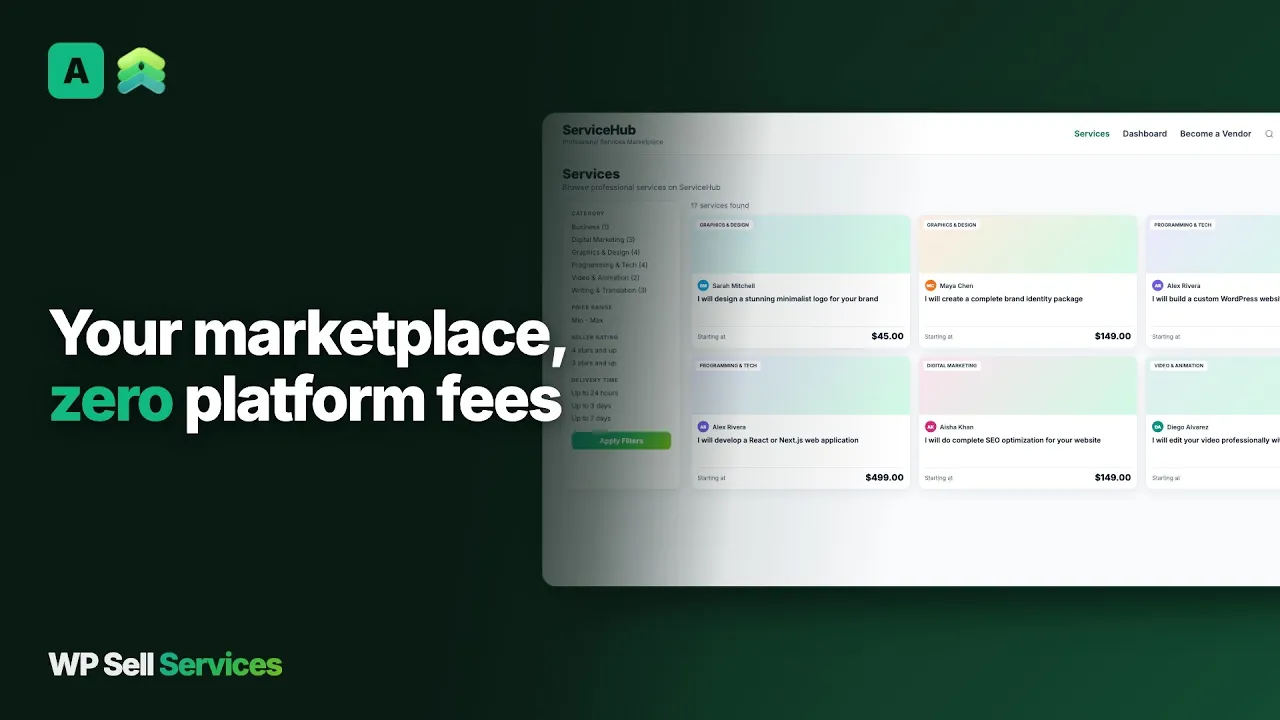 Build a Fiverr Style Marketplace on WordPress - WP Sell Services
 It depends on what you want. If you want to run a marketplace of your own, WP Sell Services is a WordPress plugin that gives you service packages, orders, reviews, disputes and payouts on your site. If you only want another place to find freelancers, a different hosted marketplace is closer.
You can build a Fiverr-style marketplace: sellers publish services with three packages, buyers order and pay, the order runs through requirements, delivery and review, and you take a commission. You will not clone Fiverr's audience, which is the hard part. Plan how buyers will find your site.
No. Fiverr brings its own buyers. On your own site you bring the traffic through search, content, partnerships, your own audience and paid ads. A seller with an existing following can move across quickly. A founder with no audience should plan the first buyers before launch.
You set a global commission rate between 0 and 50 percent and can override it for individual sellers. It comes off the seller's earnings when an order completes. Pro adds tiered rules, where the rate can vary by category, volume or seller level, instead of one flat number.
No. A fresh install has its own checkout with Stripe, PayPal and offline payment. WooCommerce is an optional Pro checkout if you already run a shop or want its gateways. Only one checkout is active at a time, and it handles all payment for the marketplace.
You do, with tools. A dispute collects evidence from both sides and gives the site admin a mediation screen. Refunds go through your payment gateway. A hosted marketplace polices this for you, so decide your refund and dispute policy before you launch.
No. There is no importer from Fiverr. You rebuild listings by hand through the service wizard, or a developer can script it against the REST API or WP-CLI. Reviews earned on Fiverr stay on Fiverr, so a seller starts fresh on your site.
The core plugin is free and includes standalone checkout, the order workflow, reviews, disputes, commissions and manual payouts. Pro is a paid yearly licence that adds items such as WooCommerce checkout, Stripe Connect payouts, tipping and analytics. See the pricing page for the current tiers.
The free plugin takes a real order end to end, so you can run a test marketplace on a staging site and decide from there.