What Workreap is and who it suits
Workreap is a freelance marketplace theme sold on Envato Market by AmentoTech. The item page and the author’s replies on it describe a services module that freelancers use from their dashboard, projects that an employer assigns, a wallet with withdrawals for freelancers, and chat built into the theme. It comes with a core plugin, and the author says payments run through WooCommerce.
The licence includes a support period that can be extended, and the page lists compatibility with BuddyPress. The theme has a long public thread of customer questions and author answers, which tells you something real about how it is supported.
One note on names. The address workreap.com today presents a hiring platform for vetted freelancers rather than the theme, so do not expect that site to explain the theme. We used the Envato Market item page for what the theme does.
The real difference: a bundle versus a part
Workreap arrives as a stack: a theme, a core plugin that holds the behaviour, and WooCommerce under the payments. You buy the stack, you install the stack and you update the stack. That is convenient on day one. It also means three moving parts carry your marketplace, and a change in one of them can touch the others.
WP Sell Services is one part. It is a plugin with its own checkout, and it works inside the theme you already chose. The things we think matter over several years are the same things a bundle makes harder: updating without fear, letting a developer script the site, and changing the design without touching the orders.
We do not say a bundle is a mistake. We say it trades long-term flexibility for a quick start, and you should know which one you are buying.
Updates, testing and who can touch what
A site that earns money cannot update on a whim. Every update needs a copy of the site, a quick run through the main paths, and a plan to roll back.
With a stack, a theme update can need a matching core plugin update, and WooCommerce has its own releases on top. You test them together, because they move together. With a plugin, you test the marketplace update on its own, and the design update on its own. If one goes wrong, you know which.
A simple routine works for either kind of site. Keep a staging copy that matches production. Update there first, run one order from payment to review, run one withdrawal, then update production in a quiet hour with a fresh backup. With a plugin you can do that for the marketplace and the theme as two separate rehearsals, which is a smaller thing to get wrong.
What a developer gets
The free plugin ships a documented REST API under its own namespace. It covers services, orders, vendors, reviews, conversations, disputes, buyer requests, proposals, notifications, earnings and more, with Application Password and cookie authentication. A developer can build an integration, a migration script or a mobile client without reading the plugin’s templates. Hooks, filters and template overrides are documented, and WP-CLI commands cover demo data, health checks and a scale test. Start at the developer page.
Large sites need one more check. A marketplace with thousands of services behaves differently from a demo with twenty. The scale command can seed a production-shaped dataset, so you can look at the catalogue search, the vendor lists and the order screens under load before real vendors arrive. Do this for any marketplace stack you run, ours included.
What you do not get
We do not ship a designed look. You supply the theme. If you want a finished freelance site on the first afternoon, a designed theme is faster.
How a service order runs in WP Sell Services
Everything here is free unless marked Pro.
- A vendor builds a service in the wizard, with three packages and optional add-ons.
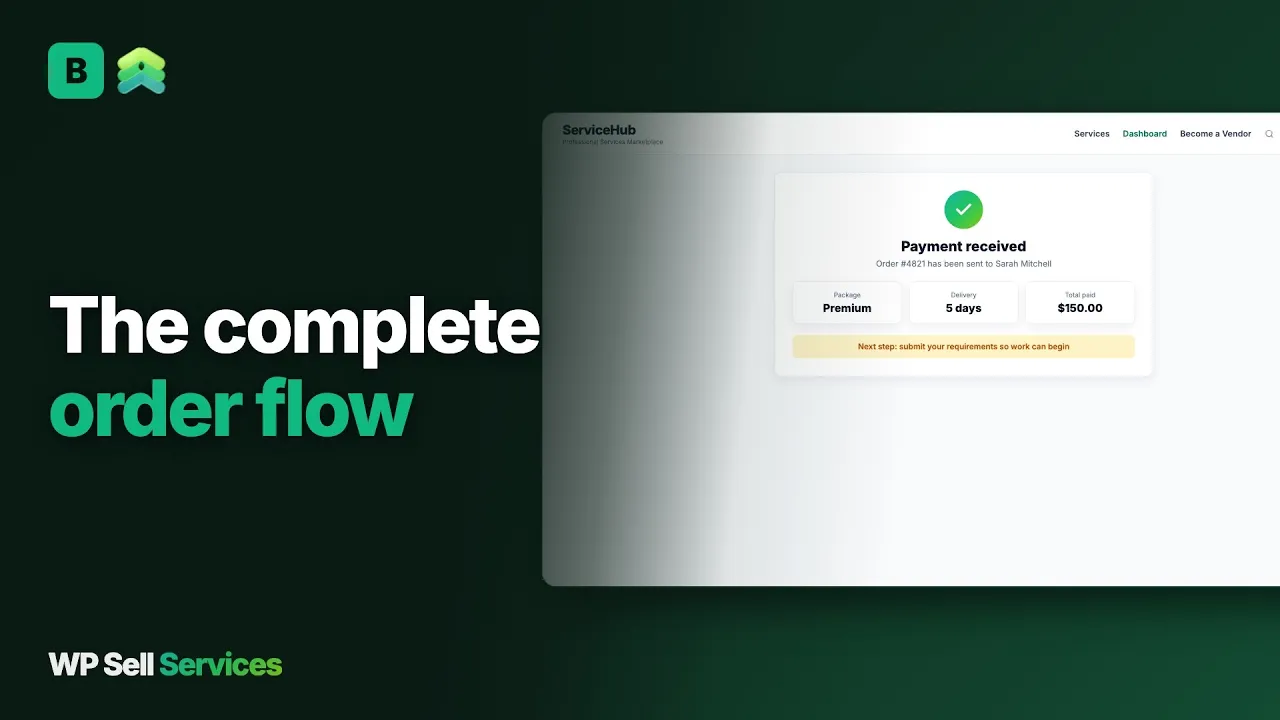
- The buyer picks a package and pays at the built-in checkout.
- The order waits for the buyer’s answers to the vendor’s requirements form.
- The two sides work through the order thread, with files.
- The vendor delivers; the buyer accepts or asks for a revision.
- Scope grows through a paid extension on the same order.
- The buyer approves and the order completes. A review opens.
Projects in our shape
Where Workreap lists projects, we have buyer requests. A buyer posts a brief with a budget, a deadline and attachments. Vendors send a cover note, a quote and a timeline. The buyer picks one, and an order is created. Bigger jobs split into milestones the buyer approves and pays in stages. Our post on guiding a service order from payment to completion walks through the lifecycle.
The money side
Workreap’s author describes funds held until a project is complete, then moved to the freelancer’s wallet, with withdrawals. WP Sell Services works along similar lines but the details differ, so read them rather than assume. A buyer pays at checkout. The commission comes off the vendor’s earnings when the order completes, and at payment time for tips, milestone phases and extensions. Earnings sit in the vendor’s balance, with a clearance period you set.
Commission is a global rate from 0 to 50 percent with a per-vendor override. Pro adds tiered rules by category, volume or seller level. In the free plugin vendors request withdrawals and you pay by any route. Pro adds Stripe Connect and PayPal Payouts.
The checkout rails differ most. Workreap leans on WooCommerce, which brings a large gateway list and its upkeep. We offer Stripe, PayPal and offline payment built in, with Razorpay and WooCommerce as Pro options. If your buyers need a local gateway that only WooCommerce offers, choosing the WooCommerce rail in Pro is the way to get it.
A word on holding money. A buyer who pays for a long project wants to know the vendor cannot simply take it, and a vendor wants to know the money exists. Milestone contracts answer both: each phase is paid when it is approved, so the exposure on either side stays small. We cover the mechanics in milestone payments for a freelance marketplace.
What it costs you to run each
The theme licence or the plugin licence is the smallest line. The larger costs are hosting, payment fees, backups, security updates and the person who looks after the site. A stack that includes WooCommerce asks for a little more of each, because WooCommerce has its own settings, templates and update notes.
Workreap is a paid theme with a support period included and an option to extend it. We do not quote its price, because it changes. WP Sell Services has a free core, and Pro is a paid yearly licence on the pricing page. Compare them on the day you buy, and include the cost of a design if you pair our plugin with a bespoke theme.
Skills matter too. A plugin with an API suits an agency or an in-house developer who will integrate it with other tools. A bundled theme suits an owner who wants to configure through screens and not write code.
Trust and disputes
Buyers pay strangers on a marketplace, and most of them have been burned before. The plainer your rules and the faster you answer, the sooner they relax.
On your own site you are the platform. WP Sell Services gives you a dispute process where both sides add evidence and an admin mediates, completed-order reviews with moderation and vendor replies, a service moderation queue, vendor approval and an order timeline that merges messages, deliveries and status changes.
Seller levels are earned from order history, and Pro Seller is a level you award by hand. The vendor profile shows a portfolio, response time and level.
Workreap’s author describes funds held until completion, which is a trust feature in itself. A dispute process with evidence from both sides was not described on the pages we could read, so ask the author. Whichever you choose, you write the terms, decide who wins and answer quickly.
Data, ownership and moving over
Orders, users and files stay in your WordPress database and on your hosting. Deliverables sit on your server unless Pro sends them to Amazon S3, Google Cloud Storage or DigitalOcean Spaces. Members can export or erase their data through the standard WordPress privacy tools.
Moving from Workreap
There is no importer from Workreap in our plugin. Moving is a rebuild. Vendors recreate their services with the wizard, and a developer can script bulk creation through the REST API. Employers and freelancers keep nothing automatically unless you migrate users yourself.
Treat the wallet as the sensitive part. A freelancer with a balance on the old site expects to be paid it, so settle those balances in cash before you switch, or agree a written date. Plan it on staging. Build the new marketplace, invite a few vendors, run real test orders and settle what happens to any wallet balance on the old site before you close it. Keep the old site live for existing orders until they finish, and point new traffic across on a date you announce.
A launch checklist
- Choose and test your theme with a blank page and a block.
- Install the free plugin on staging and run the wizard.
- Pick a registration mode and set the commission.
- Connect Stripe or PayPal and place one small real order.
- Build the catalogue and dashboard pages with blocks or shortcodes.
- Publish a first batch of services and write the requirement questions.
- Seed a large test dataset with WP-CLI and check the search.
- Add your terms, check phone width and invite vendors in small groups.
What WP Sell Services does not do for you
It does not ship a designed freelance theme, a talent directory or a hiring-agency layer. It does not sell physical goods and has no calendar booking. Recurring billing for a service is not available, so do not buy Pro for it. Easy Digital Downloads and FluentCart ship as beta checkouts that are not purchase-tested.
Tipping needs Pro. We have not built AI title suggestions, service templates, bulk image upload or scheduled publishing. Reporting a single review or message from the website is not there yet, although members can report a service or a seller. Pro features are web-only for now.
Other plugins from the same team
WP Sell Services is one of several separate, optional plugins from the same team. They run on one WordPress site and one login, and you install only what you want. The connections we can state are in checkout and payments: the built-in rail, WooCommerce in Pro, and the gateways and storage on the integrations page.
The sister products are BuddyNext for community, Jetonomy for forums and Q&A, Learnomy for courses, Listora for directories, WP Career Board for jobs, Eventonomy for events and WB Gamification for points and badges, with the BuddyX Pro and Reign themes. A freelance site that also wants a job board or a forum could add those on the same install. We make no claim that they are wired into marketplace orders.
The trade is plain. A hosted marketplace is one bill and takes a cut of every sale. These are separate plugins you install, host and update yourself, and you keep the sale.
Other alternatives worth a look
- MicrojobEngine is a micro-job marketplace theme, a fit if you want a Fiverr-style look in one package.
- TaskHive is a theme on a general framework with services and requests.
- Dokan wins when sellers ship products on WooCommerce.
- Upwork wins when you want to hire with vetting and payment protection already in place.
- Freelancer suits a contest and bidding style of hiring on a large existing audience.
- Sharetribe is a hosted builder, better if you want no WordPress to maintain.
Who should stay with Workreap
Stay if your marketplace runs on it and your freelancers and employers know it. Stay if you want projects, services, a wallet and chat in a designed theme, and you accept WooCommerce under the payments. Stay if your team prefers one vendor to ask when something breaks.
Whichever you choose, the first months decide the reputation of the site. Answer every dispute within a day, publish your terms where buyers can find them, and look at the early orders yourself. Nothing in a theme or a plugin replaces an owner who is paying attention.
Move if you want to script the site, separate the design from the marketplace, or update with fewer moving parts. Read the features overview and the freelance marketplace use case, then try the free plugin on staging.