What TaskHive is and who it suits
TaskHive is a freelance marketplace theme from the HivePress team. Its page describes a site where people register as freelancers and list services with pricing tiers and extras, clients post requests with a budget, freelancers bid on them, and the client accepts the best offer. After payment the freelancer works, the client completes the order or asks for a revision, and the freelancer requests a payout.
The theme is powered by the HivePress plugin, which is listed on wordpress.org and is described as a framework for any type of directory or marketplace. The extensions that sell listings, take requests and offers, and handle messages and reviews are packaged with the theme, and the licence includes a support period.
If you want a lot of control over fields, filters and layout, and you may later add a directory or a job board to the same framework, that is a good deal.
The real difference: a framework set up versus a model built in
Everything that follows comes from one difference. HivePress is general, and TaskHive is a configuration of it for freelancers. WP Sell Services is not general. It has one model, the service order, and every screen serves it.
A general framework asks you to decide things. Which fields does a service need? What does a request look like? How does a revision work? TaskHive makes many of those decisions for you, which is the point of a theme. But the foundation stays general, and you will meet it the day you want something specific.
A model built for services answers those questions before you ask. A service has packages. A paid order waits for a brief. A delivery can be revised. A dispute has evidence. A level is earned. None of that needs configuring, because it is what the product is.
What a framework gives you that we do not
Be clear about the other side of the trade. With HivePress you add custom fields to any listing form, reorder them, build search filters for your niche and change page layouts in the block editor. That is real freedom, and a niche marketplace with unusual data, such as a certification or a licence number on every listing, gets a lot out of it.
In WP Sell Services the service has a fixed shape: packages, add-ons, requirements, FAQs and a gallery. You choose the wording and the questions, not the structure. Developers can extend it through documented hooks and template overrides, but that is code, not a settings screen.
The order, step by step
Here is the whole path in WP Sell Services. All of it is free unless marked Pro.
- A vendor publishes a service through a six-step wizard: basic info, pricing, gallery, requirements, extras and FAQs, then review.
- The service sells as Basic, Standard and Premium packages. The free plugin allows three add-ons and four gallery images per service; Pro lifts both.
- The buyer pays at the built-in checkout.
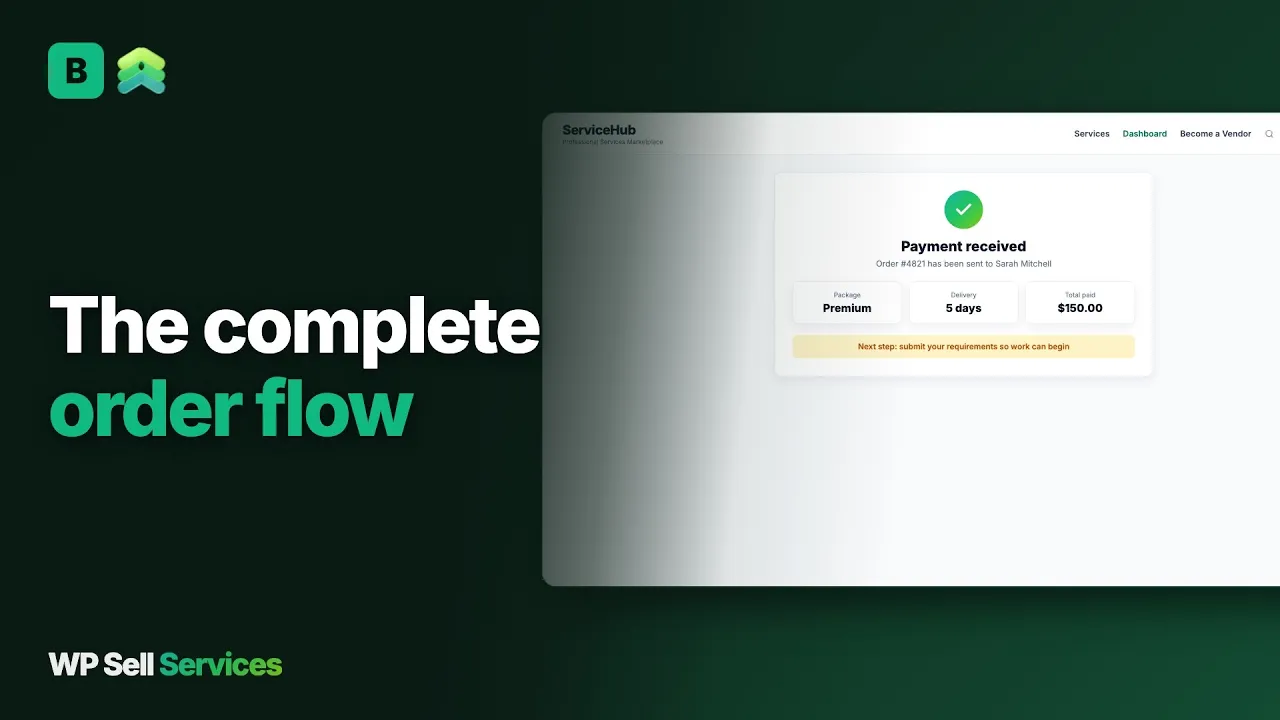
- The order waits until the buyer answers the requirements form.
- The two sides work in the order thread, with files, and the vendor delivers.
- The buyer accepts or requests a revision. A paid extension covers extra scope.
- The buyer approves, the order completes and a review opens.
Requests and offers
TaskHive lists requests with bids. We have the same idea as buyer requests and proposals. The buyer posts a brief with a budget, a deadline and attachments. Vendors answer with a cover note, a quote and a timeline, and the buyer picks one. Bigger jobs run as milestones the buyer approves and pays in stages. Our post on two marketplace modes explained shows when each mode fits.
The money side
Commission in WP Sell Services is one global rate from 0 to 50 percent, with a per-vendor override. Pro adds tiered rules by category, volume or seller level. TaskHive’s page lists three ways to earn: a commission on each sale, a fee for listing a service and a fee to feature a listing. Ours also has paid vendor plans in Pro, which charge vendors to sell. Charging for featured placement is not something we claim to ship, so do not plan on it.
Payments are the biggest fork. TaskHive runs payments through WooCommerce and offers its gateway ecosystem. We take Stripe, PayPal and offline payment on a built-in checkout. Offline payment lets a buyer upload proof of a bank transfer, which an admin approves. Razorpay and WooCommerce as a checkout are Pro.
Vendors then withdraw. In the free plugin they request, you approve and pay by any route, with a CSV export. Pro adds Stripe Connect and PayPal Payouts. For the mechanics of clearance periods and minimums, read our note on vendor payouts for a service marketplace.
Where the work lands
A framework moves effort to the start. You spend the first weeks deciding fields, writing the intake questions and testing the order flow, and you end up with exactly what you designed. A service plugin moves effort to the middle. The first order works almost at once, and you spend your weeks on categories, packages and vendor quality instead. Neither is faster overall. They are different ways to spend the same hours.
What it costs you to run each
Neither is hosted, so both cost you hosting, a domain, payment fees, backups and time. The shapes differ.
TaskHive means a theme, the HivePress plugin, its packaged extensions and WooCommerce for payments. That is a familiar stack, and its page promises a support period and documentation. WP Sell Services is one free plugin, plus a yearly Pro licence if you want the limits lifted and the integrations, listed on the pricing page. You also need a theme, but any will do.
We do not quote TaskHive prices, because they change. The cost that matters most is time. A framework takes more time to configure and then rewards you with flexibility. A service plugin takes less configuration and gives you less room to wander. Pick the one that matches the time you have.
Trust and disputes
A hosted marketplace polices itself. On your own site you are the one who decides.
The WP Sell Services tools: a dispute process with evidence from both sides and admin mediation; reviews for completed orders, with moderation and vendor replies; a moderation queue for new services; vendor approval; and an order timeline that merges messages, deliveries and status changes. Seller levels are earned from history, and a vendor profile shows a portfolio and response time.
TaskHive’s page says clients can notify the administrator if there is an issue, and that reviews exist. That is a start.
A structured process with evidence from both sides was not described on the page we read, so ask the vendor how it plays out in practice. Reviews matter more in a young marketplace than any other signal. In WP Sell Services they open only for completed orders, so a vendor cannot collect praise for work not yet delivered, and you can moderate abuse. Our post on seller levels earned in a service marketplace explains how levels grow from that history.
Whichever you pick, write your terms before launch and decide in advance what a fair refund looks like.
Data, ownership and moving over
The HivePress page says marketplace data is held by the plugin, so it is not lost if you change theme. The same is true here: services, orders, vendors and reviews live in the plugin, in your own WordPress database. Deliverables stay on your server, or on Amazon S3, Google Cloud Storage or DigitalOcean Spaces with Pro. Members can export or erase their data through the standard WordPress privacy tools.
Moving from TaskHive
We have no importer from TaskHive or HivePress. Moving is a rebuild. Vendors recreate their services with the wizard, and a developer can script bulk creation through the REST API. Custom fields you built in HivePress will not carry over, so decide which of them become requirement questions or service categories.
Think about vendors first.
A vendor who built a profile and a set of reviews on the old site will not enjoy starting at zero, so tell them what carries over (nothing automatic) and what they can do to rebuild quickly, such as pasting their best portfolio items into the new profile.
Do it on staging. Build the new marketplace, invite a few vendors, approve their applications by hand, and run real test orders before you move anyone else. Keep the old site live for open orders and announce a date for new ones. Buyers sign in again unless you migrate users yourself.
Before you decide, build the same three services on both. Give each a clear scope, a price for three packages and the questions you would ask a buyer. Then place a test order and notice which product made you do the most work. That small experiment settles the question faster than any feature list.
A launch checklist
- Install the free plugin on a staging copy and run the wizard.
- Choose open, approved or closed vendor registration.
- Set the commission, the minimum withdrawal and the clearance period.
- Connect Stripe or PayPal and place one small real order.
- Turn your old custom fields into requirement questions.
- Publish a first batch of services in a few categories.
- Write your terms and dispute contact, and link them from checkout.
- Check phone width, then invite vendors in small groups.
What WP Sell Services does not do for you
It does not turn into a directory, a job board or a classifieds site; it is for services only. It has no featured-listing fee, no physical goods tools and no calendar booking. Recurring billing for a service is not available, so do not buy Pro for it. Easy Digital Downloads and FluentCart ship as beta checkouts that are not purchase-tested.
Tipping needs Pro. AI title suggestions, service templates, bulk image upload and scheduled publishing are not built. Members can report a service or a seller, but reporting a single review or message from the website is not there yet. Pro features are web-only for now.
Other plugins from the same team
WP Sell Services is one of several separate, optional plugins from the same team. They run on one WordPress site and one login, and you install only what you want. The connections we can state are in checkout and payments: the built-in rail, WooCommerce in Pro, and the gateways and storage on the integrations page.
The sister products are BuddyNext for community, Jetonomy for forums and Q&A, Learnomy for courses, Listora for directories, WP Career Board for jobs, Eventonomy for events and WB Gamification for points and badges, plus the BuddyX Pro and Reign themes. If you like a general framework because it can also be a directory, note that here the directory is a separate product, Listora. They share a site but we make no claim that they are wired into marketplace orders.
The trade is plain. A hosted marketplace is one bill and takes a cut. These are plugins you install, host and update yourself, and you keep the sale and the customers.
Other alternatives worth a look
- Workreap is a freelance theme with projects and services, a fit if you want a ready-made talent site.
- MicrojobEngine is a micro-job theme, useful for a Fiverr-style look in one package.
- Dokan wins when your sellers ship products on WooCommerce.
- WC Vendors is the quickest way to add sellers to a store you already run.
- Sharetribe is a hosted builder, better if you want no WordPress to maintain.
- Upwork suits longer engagements with vetting and payment protection already in place.
Who should stay with TaskHive
The honest test is whether your current site is missing something your owners and buyers notice. If it is not, a rebuild is a cost with no reward.
Stay if you value a framework you can bend. If you expect to add a directory or a classifieds section later, HivePress is a sensible foundation, and its extension list is built for that. Stay if your marketplace is running, your freelancers know it, and the missing pieces are small enough to fill with fields and filters.
Stay, too, if you cannot spare the time for a rebuild this quarter. A working marketplace beats a better one that never launches, and the plugin will still be there when you are ready.
Move if you keep rebuilding service features by hand, such as an intake form, a delivery step or a dispute process. Read the features overview and the use cases, then try the free plugin on a staging site.