Stay with Freelancer if
Freelancer.com is the better pick when a buyer wants many bids or many design entries on a job, or needs a worldwide pool across fields from logos to legal work. Volume is the product, and a new site cannot copy it.
Freelancer alternatives
Freelancer.com wins on volume: many bids on every project and contests that return many entries. WP Sell Services is for the owner who would rather curate a smaller marketplace and keep its rules.
Hosted freelance marketplace
Freelancer.com is the better pick when a buyer wants many bids or many design entries on a job, or needs a worldwide pool across fields from logos to legal work. Volume is the product, and a new site cannot copy it.
WP Sell Services fits when you would rather have a smaller, vetted group of vendors, a fixed commission you set and a brand of your own. It suits a niche where trust matters more than the number of bids.
Freelancer.com is built for volume and contests; WP Sell Services is built for a curated niche you run yourself, and it has no contest feature.
What this page says about Freelancer was checked on 13 October 2026 against the vendor's own home page and contest page, fetched directly; its help pages were not opened. Products change, so confirm anything that decides your purchase on the vendor's own site.
Side by side
| Capability | Freelancer | WP Sell Services |
|---|---|---|
| Projects with bids or quotes | Yes, a core feature | Buyer requests and proposals, free |
| Design contests with many entries | Yes, a core feature | Not in the product |
| Ready-made service listings | Check the vendor's site | Three packages per service, free |
| Milestone payments | Check the vendor's site | Free, lock-step phases |
| Who can bid | Freelancers on the platform | Vendors you approve |
| Volume of bids per job | Typically high | As many as your vendors send |
| Vetting programs | Verified and preferred programs listed | Your approval queue and levels |
| Who owns the customer list | The platform | You do |
| Commission | Set by the platform | You set it, 0 to 50 percent |
| Disputes | The platform handles them | Built in, you mediate |
| Brand and design | Freelancer.com's brand | Your site and theme |
| Hosting and upkeep | The platform runs it | You host and update |
For the whole field on one screen, see the comparison page.
Why people move
Only vendors you approve can propose, so a buyer reads a few real answers instead of sorting a long list.
A site for one kind of work can ask the right questions and set the right standard. A site for every kind of work cannot.
You set the rate for the whole site and override it per vendor. You are not paying a general platform for traffic you did not need.
Reputation is earned on your site from real orders, and you award the top tier by hand.
Buyers and vendors are users on your site. You can email them and keep them.
Vendors can list ready-made services with three packages, so buyers who do not want to wait for bids can order straight away.
Freelancer.com is a hosted marketplace organised around projects and contests. A buyer posts a project and receives quotes from freelancers, or starts a contest and receives entries. Its home page lists everything from logo design and web development to writing, data entry, translation, legal work and manufacturing. It also lists local jobs, a recruiter service, project management help and enterprise offers.
It suits buyers who want a lot of choice quickly, and freelancers who are comfortable competing for work in public. The platform handles payments and disputes and sets the rules.
The model is volume. Many buyers meet many freelancers, and the market sorts itself out. That works very well for some jobs and badly for others.
The real question is not which marketplace has more features. It is whether your buyers want many answers or a few good ones.
Bidding volume rewards price and speed. A buyer posting a simple, well-defined job gets plenty of choice and can pick the cheapest. For a complex job, the same crowd makes the buyer sort noise. A curated marketplace works the other way. You have fewer vendors, so each brief gets fewer answers, and each answer comes from someone you have already accepted.
A few signs tell you which side you are on:
Neither is correct for everyone. A niche that depends on trust, such as legal, financial or medical writing, tends to suit curation. Commodity work where price decides everything tends to suit the crowd.
Contests are the clearest difference. On Freelancer.com’s contest page, a buyer sets a prize and receives entries, and the page advertises satisfaction and a money-back guarantee. The buyer sees finished options and pays for one.
WP Sell Services has no contests. We confirmed that in the product before writing this. The closest thing is a buyer request, where vendors send proposals. A proposal contains a pitch, a price and a timeline, not finished work.
If you want contest-style work, you could ask vendors to attach samples to their proposals, and some will. That is a convention, not a feature, and it asks vendors to work unpaid, so think hard before you encourage it.
A second honest gap: there is no hourly contract and no time tracking, and buyers cannot invite a specific vendor to a request. Work is priced as a fixed amount or in milestones.
This is the bidding side, and all of it is free.
For a milestone plan, the buyer pays one phase at a time, and the next phase only opens once the previous one is approved. Money is not held in advance for later phases.
A buyer on your site posts a request in a form and gets an email and an in-app notice each time a proposal arrives. They open the request, read each cover letter, check the vendor’s profile, ratings and level, and accept one. If nothing arrives, the request expires after its window and they can repost it with changes.
Buyers do not pay to post. They pay when they accept and check out. That keeps the front door open and keeps the cost of a wrong guess low.
A vendor browses open requests, filters by category, searches by keyword and sorts by budget or date. They pitch with a cover letter and a price, and can edit the proposal while it is still pending. If the buyer picks someone else, the proposal is marked rejected. There is no limit on active proposals, so the discipline has to come from your terms and your vendor approval, not from a bid allowance.
A project marketplace sells custom work. Many buyers also want something fixed and quick. The same WP Sell Services site lists ready-made services, each with Basic, Standard and Premium packages, add-ons, FAQs and a requirements form the buyer fills in after paying.
That means a buyer who needs a standard logo or a one-hour consultation can order at once, while a buyer with an unusual job posts a request. You can lead with either. The two marketplace modes post explains how to choose.
The catalogue also gives new vendors a way to earn a first review without winning a competitive bid, which helps a young marketplace build proof. Free allows three add-ons, four gallery images, five FAQs and five buyer requirements per service. Pro lifts those limits.
In a project model, price is part of the pitch, so the way the commission is applied matters to vendors. A vendor who quotes a fixed amount wants to know what lands in their wallet. The earnings dashboard shows cleared, pending and lifetime earnings, and the ledger lists every movement, so a vendor never has to ask.
You set one global commission, from 0 to 50 percent, and override it for any vendor. It is taken from the vendor’s earnings on completion, or at payment time for milestone phases, tips and paid extensions.
On the free plugin, checkout is built in with Stripe, PayPal and offline payment. Vendors request withdrawals; you set a minimum and a clearance period, approve them and mark them paid. A CSV of what is owed helps with bank transfers and PayPal bulk uploads.
Pro automates payouts with Stripe Connect and PayPal Payouts, and adds WooCommerce checkout, Razorpay, tiered commission rules and vendor subscription plans. Milestone and tip payments work on the built-in checkout and on WooCommerce. Recurring billing for services is not available; do not buy Pro for it.
Think of the cost in two layers. The first is cash: hosting, a domain, an SSL certificate, payment gateway fees and, if you want automation, a Pro licence. The second is attention. A marketplace is a small business with two customers, the buyer and the vendor, and both expect an answer when something goes wrong.
Freelancer.com’s costs sit in its fees and memberships; check the vendor’s site for the current terms. Yours sit in running a website: hosting, a domain, updates, gateway fees, and time for support, moderation and payouts.
A realistic plan covers three jobs. Someone approves vendors and watches quality. Someone answers disputes. Someone fills the marketplace with buyers. In a small niche that is one person with a good calendar. The core plugin is free, and Pro is a paid yearly licence; see pricing.
Skills are modest for a normal setup. A wizard creates the pages and sets the essentials. Changing templates, adding hooks or scripting bulk work is developer work.
A crowd platform can afford to lose some vendors, because more arrive every day. You cannot. Each vendor you approve is part of what a buyer thinks of your site, so approval is the most important setting you have, and it costs nothing but time.
Freelancer.com lists programs such as Verified and Preferred freelancers, and a platform that carries payments. A new site has none of that history, so the trust has to come from how you run it.
What the product gives you:
Contest platforms handle one more thing quietly, which is who owns the work when a design is not chosen. That question does not arise in a proposal model, but you should still write down who owns delivered files and when. What you do yourself: set the terms, decide who is good enough, and settle disputes fairly and in good time. Members can also report a service or a seller, which reaches a screen in wp-admin.
Owning the data also means owning the numbers that decide your next move: which categories draw requests, which vendors win, and how long a typical order takes from payment to review.
Buyers, vendors, requests, proposals, orders, messages and reviews live in your WordPress database. You can reach them through the REST API and WP-CLI, and WordPress privacy tools export or erase a member’s data.
There is no importer from Freelancer.com. Moving across is a rebuild: vendors recreate profiles and services through the wizard, or a developer scripts it. Reviews stay on the old platform.
WP Sell Services is one of several separate, optional plugins from the same team. They run on one WordPress site and one login. You install, host and update each of them.
The connections we can state are in the marketplace itself. Checkout is the built-in one, or WooCommerce with Pro. EDD and FluentCart adapters exist in Pro but are in beta and not offered by default. Gateways are Stripe, PayPal and offline payment, with Razorpay in Pro. Vendor payouts run through Stripe Connect or PayPal Payouts in Pro, and delivery files can go to Amazon S3, Google Cloud Storage or DigitalOcean Spaces in Pro. See integrations.
The sister products run on the same site, and we claim no integration between them and the marketplace:
The themes BuddyX Pro and Reign are from the team as well. A hosted marketplace is one bill and takes a cut. These are separate plugins you run yourself, so you keep the margin and carry the upkeep.
Stay if you want contests, a deep pool of freelancers in many fields or the choice of a hundred bids. Stay if you are a freelancer who earns from the platform’s search and has no audience elsewhere. Stay if you would rather not run a site, take support questions or settle a dispute.
Build your own if you have a defined niche and a way to reach it. The strongest sign is that you already know a group of people who want the work done and a group who can do it, and the only missing piece is a place to meet. A marketplace amplifies a relationship that exists. It rarely creates one from nothing, so start with a small circle, serve it well and widen it once the orders flow. See features, free versus Pro and the request marketplace use case.
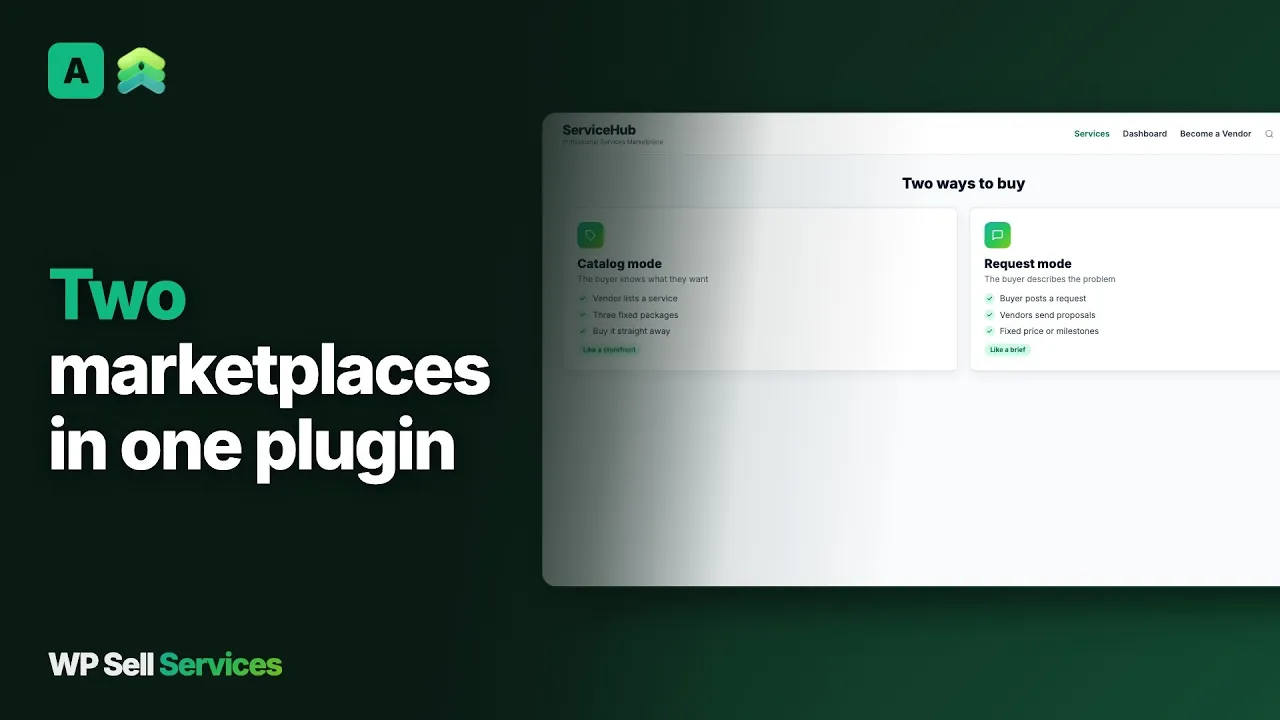 Service Catalog and Buyer Requests - Two Marketplace Modes in One
 For running a marketplace of your own, WP Sell Services is a WordPress plugin with buyer requests, vendor proposals, milestones, ready-made services and payouts. For hiring, another hosted marketplace is a closer match. Which is best depends on whether you want to hire freelancers or build the place where others hire.
No. There is no contest feature in the product. The nearest pattern is a buyer request, where approved vendors send proposals and the buyer picks one. A proposal is a pitch with a price, not a finished design entry. If contests are your model, a hosted contest marketplace is the better fit.
Yes. Any approved vendor can send one proposal per request, and there is no limit on how many active proposals a vendor can hold. How many bids a job gets depends on how many vendors you have recruited and how well the request matches their skills. Volume comes from your audience.
You approve vendors before they can propose, so quality control starts at the door. Reviews, seller levels and public profiles help buyers compare. You can also remove vendors who copy and paste replies. Write that into your terms. An open platform has no such gate.
Yes. The commission is a global rate between 0 and 50 percent with per-vendor overrides, and it comes off the vendor's earnings when work completes or when a milestone phase is paid. Pro adds tiered rules by category, volume or seller level. Buyers pay nothing to post a request.
Freelancer.com advertises one on its contest page. WP Sell Services does not have a built-in guarantee. You decide your own refund policy, process refunds through your payment gateway and use the dispute tool, where an admin mediates after both sides give evidence.
No. There is no importer from Freelancer.com or any other marketplace. Vendors recreate their profile and services by hand, or a developer scripts it against the REST API or WP-CLI as custom work. Reviews stay on the old platform and a new record builds on your site.
The core plugin is free and covers requests, proposals, milestones, standalone checkout, reviews, disputes and manual payouts. Pro is a paid yearly licence for WooCommerce checkout, Stripe Connect and PayPal Payouts, tiered commission, tipping and analytics. You also pay for hosting and gateway fees.
The free plugin takes a real order end to end, so you can run a test marketplace on a staging site and decide from there.