Stay with Upwork if
Upwork is the better pick when you need a large, varied pool of freelancers for a job today, or when you want a platform to handle contracts, payments and support at scale. A new site cannot match its supply of talent.
Upwork alternatives
Upwork runs the request and bidding model as a service. WP Sell Services lets you run the same pattern on WordPress, with briefs, proposals and milestone contracts included in the free plugin.
Hosted freelance marketplace
Upwork is the better pick when you need a large, varied pool of freelancers for a job today, or when you want a platform to handle contracts, payments and support at scale. A new site cannot match its supply of talent.
WP Sell Services fits when your buyers share a niche, you want to curate who can propose, and you want to set the commission and the rules. It suits a founder with a defined market more than a buyer who just needs a developer by Friday.
Upwork wins on talent supply and hiring volume; a WordPress request marketplace wins when you want a curated pool and your own rules.
What this page says about Upwork was checked on 13 October 2026 against the vendor's own home page, hiring page and client how-it-works page, opened in a browser; its help centre refused automated access when we checked. Products change, so confirm anything that decides your purchase on the vendor's own site.
Side by side
| Capability | Upwork | WP Sell Services |
|---|---|---|
| Buyer posts a brief | Yes, a job post | Yes, free |
| Vendors send proposals | Yes | Yes, free; one per request |
| Fixed price or milestones | Check the vendor's site | Both, free |
| Hourly contracts | Check the vendor's site | Not in the product |
| Browse ready-made services too | A project catalogue is listed | Yes, same site, free |
| Who can bid | The platform's freelancers | Sellers you approve |
| Who owns the customer list | The platform | You do |
| Commission | Set by the platform | You set it, 0 to 50 percent |
| Disputes | The platform handles them | Built in, you mediate |
| Talent supply | A very large pool | What you recruit |
| Hosting and upkeep | The platform runs it | You host and update |
| Payout automation | Platform-run | Manual free; automatic in Pro |
For the whole field on one screen, see the comparison page.
Why people move
Buyer requests, proposals, fixed and milestone contracts are not locked behind Pro. You can run a full request marketplace without paying for a licence.
Only vendors you have approved can answer a brief. That is a quality filter an open platform cannot give you.
The same marketplace also lists ready-made services with fixed packages. Buyers pick what suits the job.
You set the rate, apply it to the accepted proposal and override it per vendor. Nobody else shares in the order.
Briefs, categories and seller levels are yours to shape, so a legal or design marketplace can ask for what it needs.
Briefs, proposals, orders and messages sit in your WordPress database, reachable by REST API and WP-CLI.
Upwork is a hosted marketplace built around the job post. A client describes the work, freelancers send proposals, and the client picks one. Its pages describe other routes too: browsing freelancer profiles, inviting people to apply, hiring an agency, buying from a catalogue of fixed-scope projects and signing a direct contract. It also has an enterprise side.
It suits businesses that want flexible freelance talent and are happy to run a hiring process. Freelancers use it to find work without owning a site or a pipeline. Upwork sits in the middle, running the contracts, the payments and the support.
Its own client pages say it is free to create an account and post a job, and that the client pays once a contract starts. That is the shape most people mean when they say Upwork-style.
The pattern has four parts: a brief, a pool of people who can answer it, a way to compare answers and a way to pay in stages. The hard part is not the software. It is having enough good freelancers so that a buyer who posts a brief gets answers worth reading.
This matters more than any feature list. A request marketplace with no vendors is an empty job board, and buyers do not come back to one. Plan your seller side first, then switch the buyers on. Approach a small group of people you already trust, give them a reason to answer early briefs well, and seed a few real requests yourself so the board looks alive on day one.
Early on, you may also want to lead with ready-made services and let requests grow beside them, since the same site runs both.
The software side is well covered in the free plugin. The request marketplace use case walks through the setup in detail, and the two marketplace modes post explains why you can lead with requests and still sell ready-made services.
Every step below is in the free plugin unless noted.
One limit is worth knowing. Buyers cannot message a vendor directly through a request before accepting. Vendors can put questions in the proposal, and the buyer judges from the proposal and the profile.
The commission on a request marketplace is usually taken from the accepted proposal value, not from a catalogue price. You set the global rate and can override it for a vendor you want to reward or recruit. It is taken from the vendor’s earnings when the work completes, and from milestone phases at payment time, so the money reaches the vendor’s wallet before delivery of that phase.
A milestone plan splits a project into named phases, each with a title, description, amount and days. The buyer sees the whole plan before accepting. On acceptance the order starts immediately with the phases laid out, and the buyer pays phase one from the order page.
Phases pay in lock-step. Phase two only opens once phase one is approved. When every phase is approved, the project completes and the buyer is asked for a review. That protects buyers from paying for work not yet seen. It also means money is not held for future phases in advance. If you want funds locked up front, this is not that model.
Milestones, tips and paid extensions work on the built-in checkout and on WooCommerce, and not on other checkout rails. Pro adds the WooCommerce checkout, Stripe Connect and PayPal Payouts. The free plugin takes Stripe, PayPal and offline payment, and pays vendors by a manual withdrawal flow with a CSV of what is owed.
For a request marketplace the split is simple. These are all in the free plugin:
These need Pro:
Free also caps a few listing limits that matter to ready-made services more than to proposals: three add-ons, four gallery images, five FAQs and five buyer requirements per service.
We checked for the parts of the Upwork pattern that we could not find, so you hear them first.
None of these is hidden, and a few of them decide the question. If your buyers hire by the hour or want to chat with three freelancers before choosing, you will miss them.
A developer can build around some of them with the REST API and hooks, and that is custom work.
On Upwork the cost sits with the platform: its fees and its terms. Check the vendor’s site for current figures, because they change. On your own site the cost sits in running a website: hosting, a domain, updates, gateway fees, and the time you spend on support, moderation and payouts.
You also need people to run it. Someone has to approve vendors, watch briefs that get no proposals, answer disputes and handle refunds. At a small scale that is you. At a large scale it is a hire. A quiet request that gets no proposals is a sign you have too few vendors in that category, and the fix is recruiting, not settings.
Pro is a paid yearly licence; see the pricing page. The core is free and covers the whole request flow.
In a request marketplace, trust is built at the moment of choosing. A buyer who reads five proposals needs to tell the careful one from the copied one. The cover letter helps, but the profile, the ratings and the linked service do most of the work.
Upwork gives buyers reviews, portfolios and a platform that carries the contract. A new site has to build that trust from nothing, and in a request marketplace the risk is quality: vendors who paste a template reply into every brief.
The product gives you levers for that:
Quality control is also a policy. Remove vendors whose proposals are copy-paste, and say in your terms that you will. What you must do yourself is write the terms, vet vendors well, and act on disputes in good time. See milestone payments for a freelance marketplace for the money mechanics.
Every buyer and vendor is a WordPress user on your site. Briefs, proposals, orders, messages and the earnings ledger sit in your database and are reachable by REST API and WP-CLI. Standard WordPress privacy tools export and erase a member’s marketplace data, and erasure is refused while an order is in flight or a payout is mid-transfer.
Briefs and proposals also carry value over time. You can see which categories get requests but few answers, which vendors win, and where buyers drop out. On a hosted marketplace the platform holds that history. That is fine until you want to leave, change the rules or study your own numbers.
There is no importer, and we will not pretend otherwise. Moving over is a rebuild. Vendors recreate their profile and services through the wizard. A developer can script bulk creation against the REST API or WP-CLI, which is custom work. Reviews, job history and ratings stay on Upwork.
Check Upwork’s terms before asking anyone to take clients off the platform, because the vendor governs that, not us.
WP Sell Services is one of several separate, optional plugins from the same team. They run on one WordPress site and one login. You install, host and update each one yourself.
The connections we can state sit in the marketplace. Checkout is the built-in one, or WooCommerce with Pro; EDD and FluentCart adapters ship in Pro as beta and are not offered by default. Gateways are Stripe, PayPal and offline payment, plus Razorpay in Pro. Payouts can run through Stripe Connect or PayPal Payouts in Pro. Delivery files can live on Amazon S3, Google Cloud Storage or DigitalOcean Spaces in Pro. See integrations.
The sister products run on the same site, and we claim no integration with the marketplace:
The themes BuddyX Pro and Reign come from the team too. A hosted marketplace is one bill and takes a cut. These plugins are separate things you run, so you keep the margin and carry the upkeep.
The honest test is supply. If you cannot name where your first fifty good vendors come from, the software will not fix that.
Stay if you are a buyer who needs a specialist quickly and has no interest in running anything. Stay if you are a freelancer whose clients find you there. Stay if you need hourly contracts, a very large talent pool or an enterprise contract with a vendor that carries the risk.
Start your own marketplace if you have a niche, a way to attract both sides and the patience to curate. See features, free versus Pro and compare.
 Buyer Requests, Proposals and Milestone Contracts Explained
 If you want to run your own marketplace, WP Sell Services is a WordPress plugin where buyers post briefs, vendors send proposals and the buyer accepts one to create an order. If you only want another place to hire, a different hosted freelance marketplace is closer to what Upwork offers.
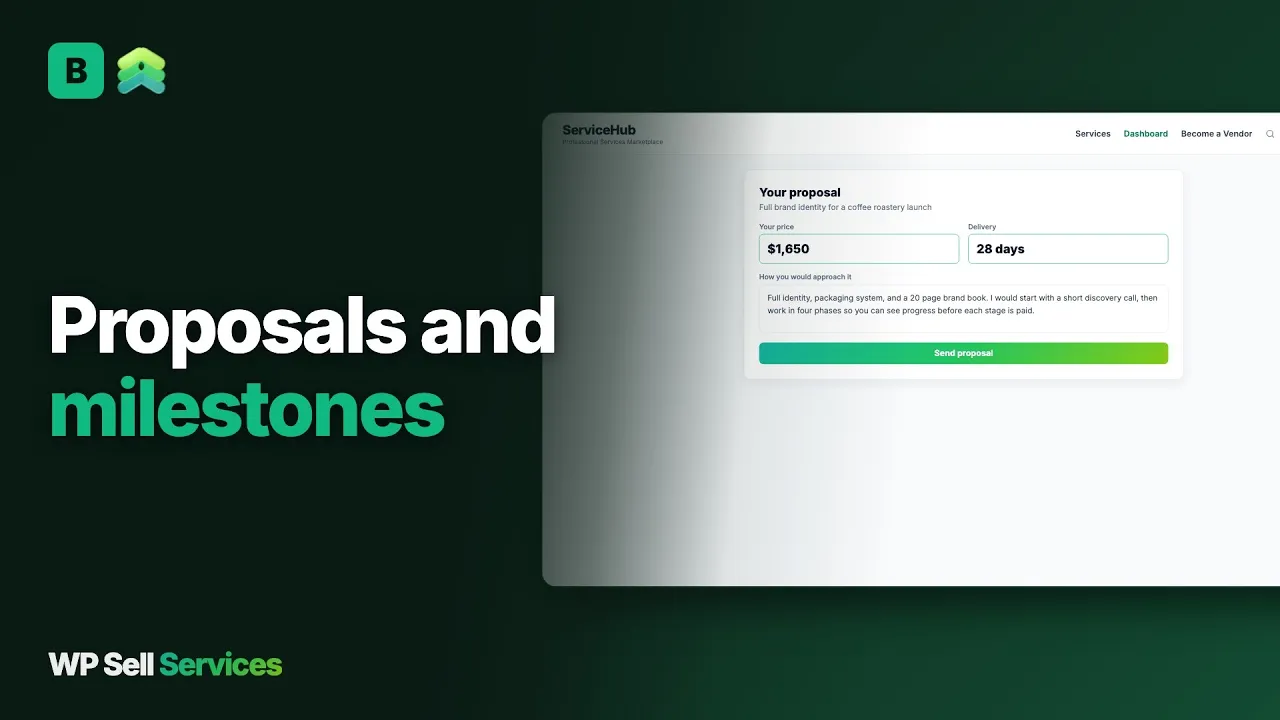
Yes. Buyers post a request with a budget, deadline, skills and attachments. Approved vendors send a cover letter, price and delivery time. The buyer accepts one proposal, the others are declined, and an order starts. All of that is in the free plugin. The audience is the part you must build yourself.
Milestone contracts are in the free plugin. A vendor can choose a fixed price or a milestone plan on each proposal. Phases are paid one at a time, and the next phase opens only after the previous one is approved. Milestones work on the built-in checkout and on WooCommerce, not on every checkout rail.
There is no per-proposal fee and no limit on how many active proposals a vendor can have. Vendors can only send one proposal per request. If you want to charge vendors to sell, Pro has vendor subscription plans, but that charges for selling on your site, not for each bid.
No. We found no hourly billing or time tracking in the product. Work is priced as a fixed amount or as milestones. If your buyers hire by the hour, a hosted marketplace built around that is the better fit, or a developer would need to build it on top of the REST API.
We found no invite-to-apply feature in the product. Buyers post a request and approved vendors can see it and answer. Buyers can browse vendor profiles and ready-made services on the same site, and a vendor can link an existing service to a proposal.
No. There is no importer from Upwork. You rebuild vendor profiles and services by hand, or a developer scripts it against the REST API or WP-CLI. Reviews and job history stay on Upwork, so vendors start a fresh record on your site.
You do, with built-in tools. A dispute collects evidence from both sides and gives the site admin a mediation screen. You choose the gateways and the refund policy. A hosted marketplace carries this for you, so write your own dispute policy before you launch.
The free plugin takes a real order end to end, so you can run a test marketplace on a staging site and decide from there.