What Sharetribe is, and who it suits
Sharetribe is marketplace software for founders, sold as a hosted service. Its home page promises a launch in a day without coding, with the option to extend with code later. It describes rental, service, product and other marketplaces, and it separates the service side into local services, negotiation and bidding, virtual sessions and events.
It suits founders who want to launch fast and not think about servers. You start on a free trial, configure the marketplace in a console, and pay a subscription plus usage charges once you go live.
That is a real service, and it is worth being generous about what it does for you before we say why you might still choose a plugin.
Its features page also shows how deep the product goes. It covers user types for providers and customers, custom fields for profiles and listings, public profiles that act as storefronts, messaging and email notifications, reviews, search, analytics integrations and a headless option where you build your own front end against an API. A founder who reads that list is looking at a mature product, not a toy.
What a hosted builder saves you
A hosted product takes whole categories of work off your desk. It is worth listing them honestly.
- Servers. You never choose a host, tune a database or watch for a traffic spike.
- Backups and updates. The vendor handles both, so there is no plugin update that breaks a page.
- Scale. Its pages say the platform keeps performing as a marketplace grows.
- Payments set-up. Payments run through Stripe, with a know-your-customer step for suppliers and payouts sent automatically after a transaction.
- Marketplace types. Bookings, rentals, inventory, shipping and digital downloads are listed as features.
- One vendor to call. When something breaks, there is a single team to ask.
If those six points describe your biggest worry, take them seriously. Many first-time founders pay for exactly that and are right to.
With a hosted builder, the marketplace lives on the vendor’s infrastructure and you configure it. You pay for the plan and for usage. The vendor decides the pricing model, the feature roadmap and the limits of the console.
With WP Sell Services the marketplace is a plugin on a WordPress site you run. You pay for hosting, and for Pro if you want it. You decide how it is hosted, how it looks, which other plugins sit beside it, and when to update. You also take on the duties the vendor would have carried.
Neither is better in general, and the right answer can change as your marketplace matures. One trades money for convenience. The other trades convenience for control.
What a plugin gives you back
The other side of the ledger is worth stating as plainly. A plugin on your own hosting lets you put the marketplace inside a site you already have. Your blog, docs, courses, forum and shop can share one theme, one search and one login, which a separate hosted marketplace on its own domain or subdomain does not do by default.
It also lets you change anything a developer can reach. Templates can be copied into your theme and edited. Hooks and filters let you alter behaviour, and the REST API and WP-CLI let you script bulk work. The price of that freedom is that you own the result, including its mistakes.
Finally, the pricing shape is predictable. A free core and a yearly licence do not grow with each user action.
What WP Sell Services does not do
Read this before you decide, because it is where Sharetribe is ahead for some marketplaces.
We found no booking calendar, time-slot availability, rental periods, product inventory or shipping in the product. WP Sell Services is built for services sold as packages and for request-and-proposal work. It does not charge subscriptions for recurring services: that code is switched off, so do not buy Pro for it.
It does not offer a no-code visual console of its own; WordPress, blocks and shortcodes are the editor. It has no import from Sharetribe or any other marketplace product. And automatic vendor payouts need Pro: free pays by manual withdrawal.
How a service order runs, step by step
Every step is free unless noted.
- A vendor lists a service. A six-step wizard covers basics, pricing, gallery, requirements, extras and FAQs, with Basic, Standard and Premium packages. Free allows three add-ons, four images, five FAQs and five buyer requirements per service; Pro lifts those four limits.
- A buyer chooses a package and pays. Checkout is built in with Stripe, PayPal or offline payment with receipt proof. WooCommerce checkout is a Pro option.
- The buyer completes the requirements form. The order starts once they do.
- The vendor delivers. Files and messages travel on the order, with revisions.
- The buyer approves. The order moves through eleven statuses and completes.
- The buyer reviews. Ratings feed the vendor profile and level.
When a buyer cannot find the right listing, a free request flow lets them post a brief, receive proposals and choose a fixed price or a milestone plan. The request marketplace use case covers it, and the order lifecycle post explains the stages.
The money side
Money is where the two products feel most different day to day. A hosted builder that ties into Stripe can onboard suppliers, check their identity and pay them out without the owner touching anything. That is a real saving, and our free plugin does not match it.
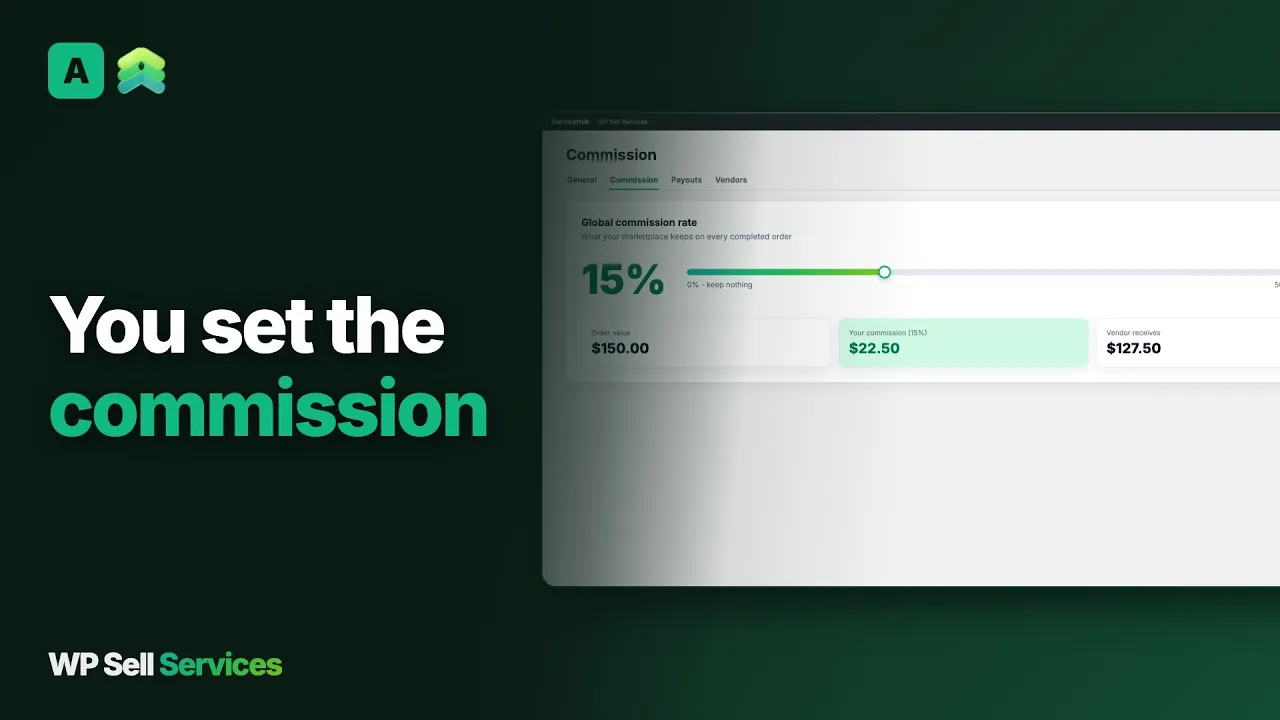
You set one commission, from 0 to 50 percent, and override it per vendor. Sharetribe also lists commission taken from customers, providers or both, handled by Stripe; WP Sell Services takes it from the vendor’s earnings at completion, or at payment time for tips, milestone phases and paid extensions.
Vendors see cleared, pending and lifetime earnings, and request withdrawals with a minimum and clearance period you set. Free means you approve and mark paid by hand, with a CSV of what is owed. Pro adds Stripe Connect, which splits each payment at the time of sale, and PayPal Payouts for batches. Tiered commission rules and vendor subscription plans are Pro too.
Manual payouts are a perfectly workable start for a small marketplace, and many owners move to automation once volume makes the weekly chore tedious. Read the vendor payouts post, vendor payouts for a service marketplace, before you choose manual or automatic.
What each costs you to run
Start with what you would otherwise spend. Money is the visible cost. The invisible one is the evening you lose when a plugin update conflicts with your theme, or a payout needs checking, or a buyer writes in about a refund.
Sharetribe’s cost is a subscription with usage charges layered on top. Its pricing page describes a build plan for testing, a live plan for running, and credits for activity on the marketplace. Check the vendor’s site for the numbers, because they change.
Ours is a free core, a paid yearly Pro licence, and the real costs of a website: hosting, a domain, SSL, gateway fees, and updates. Plus someone’s time. If your site is quiet, that can be very cheap. If you expect heavy traffic, you will pay for a better host or caching and may need a developer.
Neither bill is small by accident: you are buying either a managed service or your own time. The honest comparison is cash against attention. A hosted plan costs cash and saves attention. A plugin costs attention and saves cash.
Trust, disputes and moderation
A marketplace is a promise that the other side will behave. Software can record that promise but not keep it.
Both give buyers reviews. WP Sell Services adds a structured dispute process with evidence from both sides and admin mediation, review moderation with vendor replies, four seller levels, a vendor approval queue and optional service moderation. Members can report a service or a seller to a screen in wp-admin.
You still make the calls. You write the terms and refund policy, you approve vendors, and you settle disputes. With Stripe-backed payments on a hosted builder, some of the payment mechanics are handled for you. Ask each vendor what they handle before you assume.
Data, ownership and moving over
Your data sits in your WordPress database, with REST API and WP-CLI access and standard privacy export and erase tools. Sharetribe’s features page lists CSV export of users, listings, transactions and reviews, and API access, so leaving is possible in both directions.
There is no importer from Sharetribe. Moving over means:
- Recreating each service through the wizard, or scripting it as custom work.
- Inviting users to register, since passwords and accounts do not transfer.
- Rebuilding any custom fields and flows in WordPress.
- Leaving reviews and transaction history behind.
One practical point about users: accounts and passwords do not transfer, so every member has to register again or be invited. Send a clear message ahead of the move, explain what changes for them and keep the old site readable for a while. People forgive a move that is explained and resent one that is a surprise.
Run a staging copy first, and keep the old marketplace live until the new one has completed real orders. A parallel run for a few weeks costs a second bill and saves a lot of apologies. Test a full order, a dispute and a withdrawal before you move the domain.
A launch checklist
- Decide that your marketplace is about services, not rentals or goods.
- Choose hosting and install WordPress.
- Install WP Sell Services and run the setup wizard.
- Set the commission, currency and withdrawal rules.
- Connect Stripe or PayPal and test a full order.
- Write terms, refund and dispute policies.
- Approve your first vendors and publish a small catalogue.
- Set up backups and updates, since the vendor no longer does.
The rest of the stack on the same site
WP Sell Services is one of several separate, optional plugins from the same team, running on one WordPress site and one login. You install, host and update each one.
The connections we can state sit in the marketplace. Checkout is the built-in one, or WooCommerce with Pro; EDD and FluentCart adapters are in Pro as beta and not offered by default. Gateways are Stripe, PayPal and offline payment, with Razorpay in Pro. Payouts run through Stripe Connect or PayPal Payouts in Pro. Delivery files can live on your server or, with Pro, on Amazon S3, Google Cloud Storage or DigitalOcean Spaces. See integrations.
These sister products run on the same site, and we claim no integration with the marketplace:
- BuddyNext for community.
- Jetonomy for forum and Q&A.
- Learnomy for courses.
- Listora for a directory.
- WP Career Board for a job board.
- Eventonomy for events.
- WB Gamification for points and badges.
The themes BuddyX Pro and Reign come from the team too. A hosted builder is one bill that covers the platform; these are separate plugins you install, host and update yourself. In practice that means one more thing to keep current for each plugin you add, so add them one at a time, when a member asks for the feature.
Other alternatives worth a look
- Fiverr wins when you want a ready-made audience instead of your own marketplace.
- Upwork wins when you want the request and proposal model run for you.
- Freelancer.com wins when contests and heavy bidding are the point.
- Dokan is a WordPress multi-vendor plugin we compare separately.
- WCFM Marketplace is another WordPress option with its own page.
- WC Vendors is a third WordPress option, compared on its own page.
Who should stay with Sharetribe
Stay if you are not building a services marketplace, because rentals, bookings and product selling are where it is ahead. Stay if nobody on your team wants to host, patch or back up a website. Stay if a no-code console with an API behind it fits how you work and the subscription is a price you are glad to pay.
A middle path exists too. If you are still testing the idea, a hosted trial is a cheap way to learn what your buyers want. If you already know and you already run WordPress, build it where you will keep it.
Choose WP Sell Services if you already live in WordPress and want the marketplace to be one more part of it. See features, free versus Pro and the WordPress marketplace plugin overview.