For buyers
Find someone, or describe the job.
Browse a filtered catalog and buy a package, or post a brief and let sellers come to you with quotes. Either way the order, the files and the money stay in one place.
Your dashboard
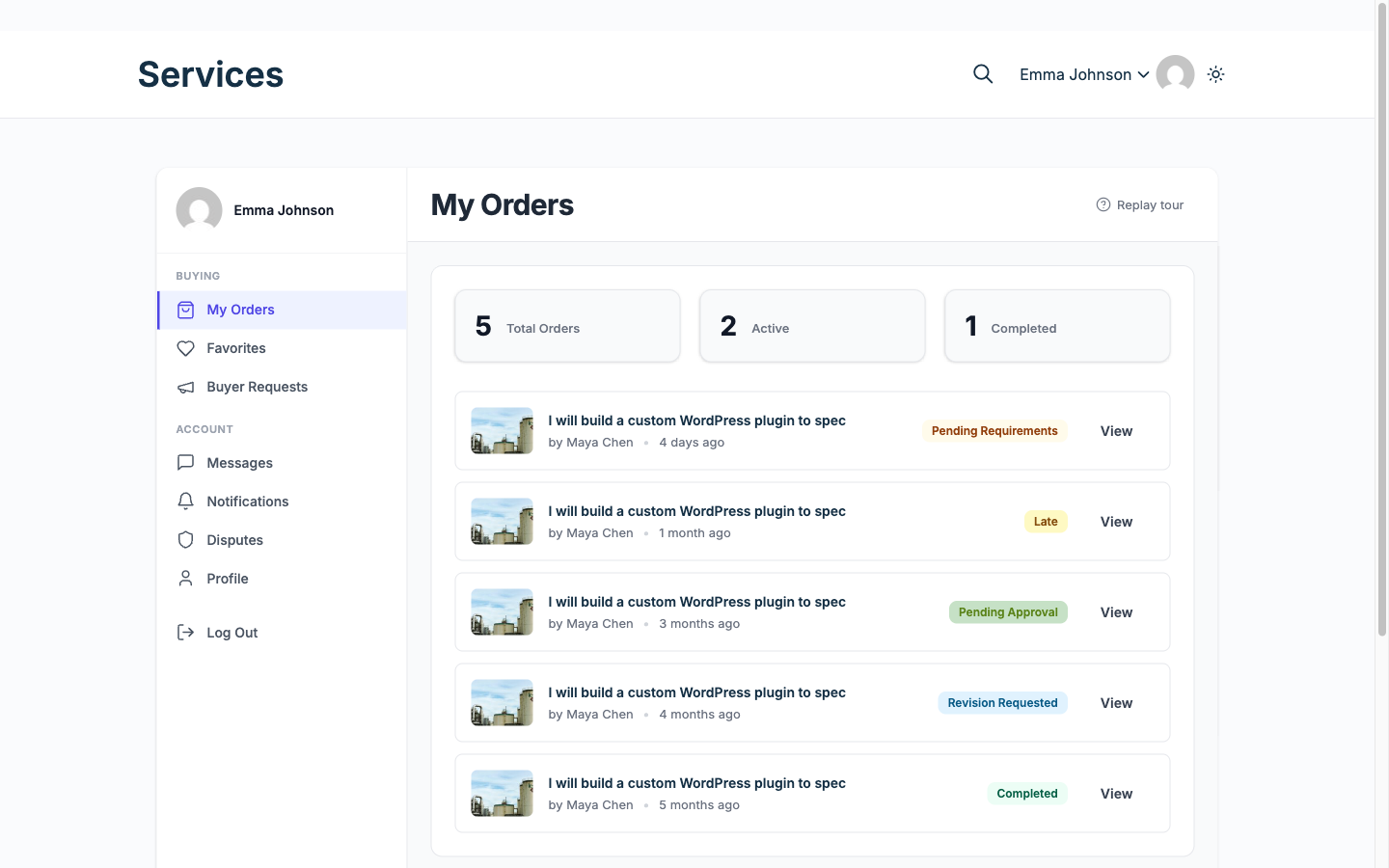
Buying, from your side
- Pick a package, or post a job Buyer Three tiers per service with add-ons, or a brief that vendors bid on.
- Answer the requirements form Buyer Collected up front so the work starts with what it needs.
- Track it and message on the order Buyer One thread per order, with file attachments.
- Approve, or request a revision Buyer If it goes wrong, open a dispute with evidence rather than arguing by email.
25 capabilities that matter to you, across 5 areas. Each links to its documentation.
Finding and buying
-
Catalog with search and filters Free
Buyers narrow by category, price, seller rating and delivery time.
Docs → -
Buyer requests Free
A buyer who cannot find the right service posts a brief with budget, deadline and attachments instead.
Docs → -
Proposals Free
Vendors answer a request with a cover note, quote and timeline; the buyer compares and picks one.
Docs → -
Fixed or milestone contracts Free
Larger jobs split into milestones the buyer approves and pays one at a time.
Docs → -
Favorites Free
Buyers save services and come back to them, since most people do not order on the first visit.
Docs → -
Buyer dashboard and order tracking Free
One place for active, completed and total orders, with the state of each.
Docs →
The order workflow
-
Eleven order statuses Free
A complete lifecycle from payment and requirements through delivery, revision and approval, with on hold, late, disputed and cancelled states for when things go wrong.
Docs → -
Order timeline Free
One merged, chronological history per order, so nobody reconstructs what happened from three separate screens.
Docs → -
Requirements collection Free
The order waits for the buyer to answer the vendor intake form. After a timeout you set (seven days by default) it starts anyway, or cancels if you prefer.
Docs → -
Order messaging and files Free
A thread per order with attachments, so the conversation stays with the job.
Docs → -
Deliveries and revisions Free
Vendors deliver files against the package; buyers accept or request a revision.
Docs → -
Paid extensions and deadline changes Free
Scope grows mid-order without a side deal: the buyer pays for the extra through the order.
Docs → -
Tipping Pro
Buyers add a tip after approval. Tips carry the regular commission unless you set a separate tip rate. Without Pro the tip option is hidden, and a tip already paid still reaches the vendor wallet.
Docs → -
Offline payment proof Free
A buyer paying by bank transfer uploads the receipt, and an admin approves or rejects it. Approval marks the order paid and credits the vendor through the same path as a card payment. Off by default.
Docs → -
Printable receipts Free
Any paid order has a receipt the buyer can print or save as a PDF, however it was paid.
Docs →
Trust and reputation
-
Reviews and star ratings Free
Buyers rate completed orders; ratings drive the catalog and the vendor profile.
Docs → -
Four seller levels Free
New Seller, Rising Seller and Top Rated are earned from real order history. Pro Seller is a level you award by hand.
Docs → -
Vendor profile and portfolio Free
A public page with past work, response time and level, so a buyer can judge before ordering.
Docs → -
Disputes Free
A structured process with evidence from both sides and admin mediation, instead of a refund argument by email.
Docs →
Presentation and SEO
-
In-app notifications Free
A notification centre in the dashboard, separate from email.
Docs → -
Real-time updates Free
Messages and notifications appear without a page reload. Off by default; it needs a Pusher-compatible service such as Pusher or Soketi.
Docs → -
Push notifications to phones Pro
The events a member already gets in the app can reach their phone, on Android and iOS, using your own Firebase credentials. Off by default.
Docs → -
Display currency Pro
An approximate price in the shopper currency appears beside the real one, detected from their timezone, while you still settle in yours.
Docs →