For sellers

List a service. Get paid for it.

Build a listing through a six-step wizard, sell it in three package tiers, run the order in one thread, and withdraw what you have earned.

Your dashboard

/dashboard/sales/
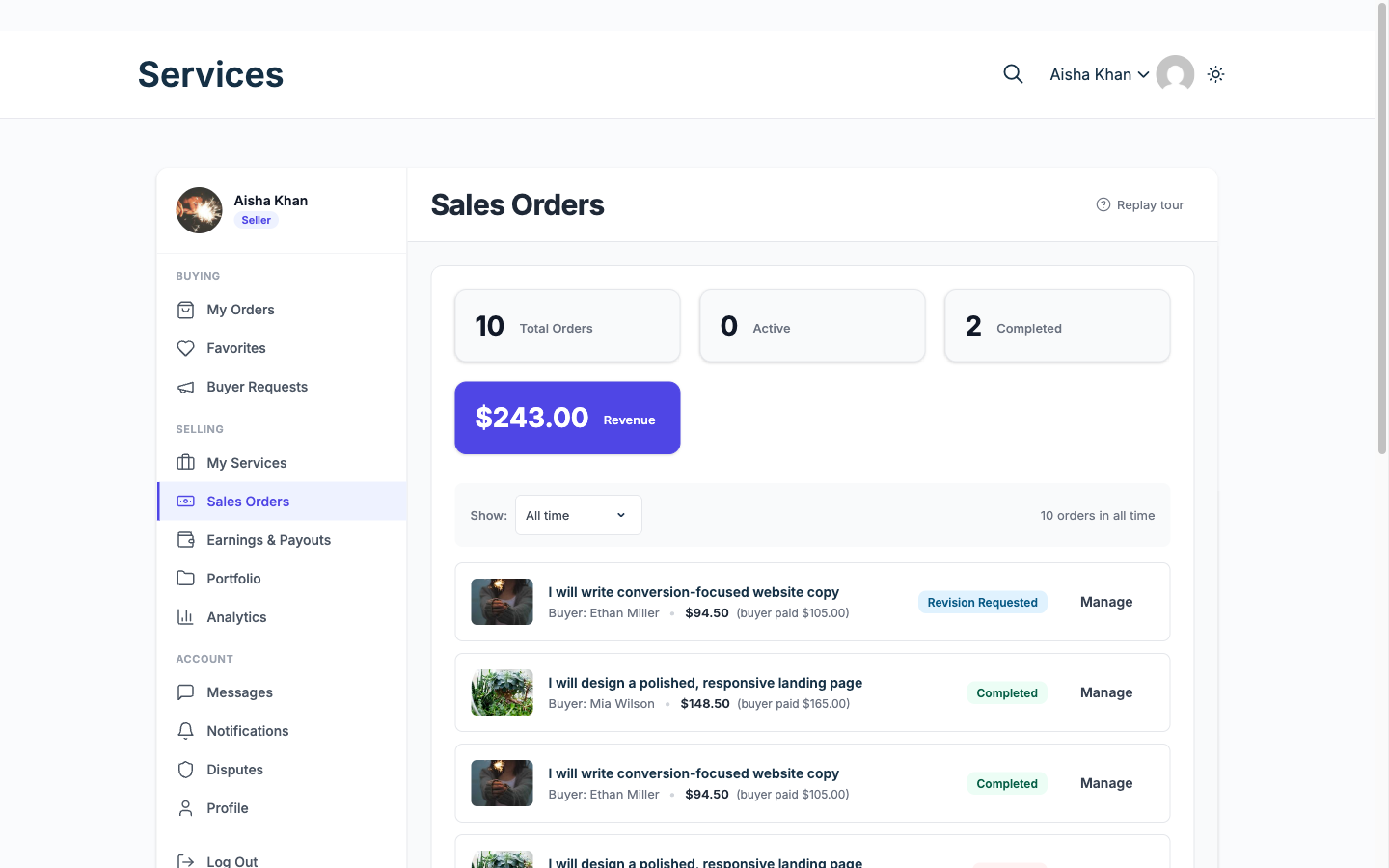
The Sales Orders screen in a vendor dashboard, showing revenue, order counts and a list of orders with their statuses.
Every order you are selling, with what the buyer paid and what stage it is at. The left rail carries your buying side too, on the same account.

An order, from your side

  1. Order lands with requirements answered Buyer You start with the brief filled in, not a blank message thread.
  2. You do the work and deliver files Vendor
  3. Buyer approves, or asks for a revision Buyer Revision limits are set per service, so it cannot run forever.
  4. Earnings clear, then you withdraw Vendor An unanswered delivery completes on its own rather than hanging.

26 capabilities that matter to you, across 7 areas. Each links to its documentation.

Listing and selling

  • Six-step service wizard Free

    Vendors publish a listing through Basic Info, Pricing, Gallery, Requirements, Extras and FAQs, then Review.

    Docs →
  • Three-tier packages Free

    Every service sells as Basic, Standard and Premium, so buyers pick the scope that fits their budget.

    Docs →
  • Add-ons and extras Free

    Priced upsells attached to a package. Three per service on free, unlimited on Pro.

    Docs →
  • Gallery and media Free

    Images and a video embed per listing. Four images on free, unlimited on Pro.

    Docs →
  • Requirements and FAQs Free

    The intake form a buyer completes after paying, so vendors stop chasing briefs over email.

    Docs →
  • Edit, pause and delete Free

    Vendors take a service off sale without losing its history or reviews.

    Docs →

Finding and buying

  • Proposals Free

    Vendors answer a request with a cover note, quote and timeline; the buyer compares and picks one.

    Docs →
  • Fixed or milestone contracts Free

    Larger jobs split into milestones the buyer approves and pays one at a time.

    Docs →

The order workflow

  • Eleven order statuses Free

    A complete lifecycle from payment and requirements through delivery, revision and approval, with on hold, late, disputed and cancelled states for when things go wrong.

    Docs →
  • Order timeline Free

    One merged, chronological history per order, so nobody reconstructs what happened from three separate screens.

    Docs →
  • Requirements collection Free

    The order does not start until the buyer answers the vendor intake form.

    Docs →
  • Order messaging and files Free

    A thread per order with attachments, so the conversation stays with the job.

    Docs →
  • Deliveries and revisions Free

    Vendors deliver files against the package; buyers accept or request a revision.

    Docs →
  • Paid extensions and deadline changes Free

    Scope grows mid-order without a side deal: the buyer pays for the extra through the order.

    Docs →
  • Tipping Pro

    Buyers add a tip after approval. Tips carry the regular commission unless you set a separate tip rate. Without Pro the tip option is hidden, and a tip already paid still reaches the vendor wallet.

    Docs →

Trust and reputation

  • Four seller levels Free

    New Seller, Rising Seller and Top Rated are earned from real order history. Pro Seller is a level you award by hand.

    Docs →
  • Vendor profile and portfolio Free

    A public page with past work, response time and level, so a buyer can judge before ordering.

    Docs →
  • Disputes Free

    A structured process with evidence from both sides and admin mediation, instead of a refund argument by email.

    Docs →
  • Review moderation Free

    Owners moderate reviews and vendors reply, so one bad review is not the whole story.

    Docs →
  • Vacation mode Free

    Vendors mark themselves unavailable without unpublishing their services.

    Docs →

Money and payouts

  • Earnings dashboard Free

    Vendors see cleared, pending and lifetime earnings without asking anyone.

    Docs →
  • Withdrawals Free

    Requests with minimum amounts, clearance periods and owner approval.

    Docs →

Running the marketplace

  • Analytics and export Pro

    Revenue and performance dashboards for admins and vendors, exportable as CSV or as a printable report you can save as a PDF.

    Docs →

Presentation and SEO

  • In-app notifications Free

    A notification centre in the dashboard, separate from email.

    Docs →
  • Real-time updates Free

    Messages and notifications appear without a page reload. Off by default; it needs a Pusher-compatible service such as Pusher or Soketi.

    Docs →
  • Push notifications to phones Pro

    The events a member already gets in the app can reach their phone, on Android and iOS, using your own Firebase credentials. Off by default.

    Docs →