Proposal Contracts: Fixed vs Milestone
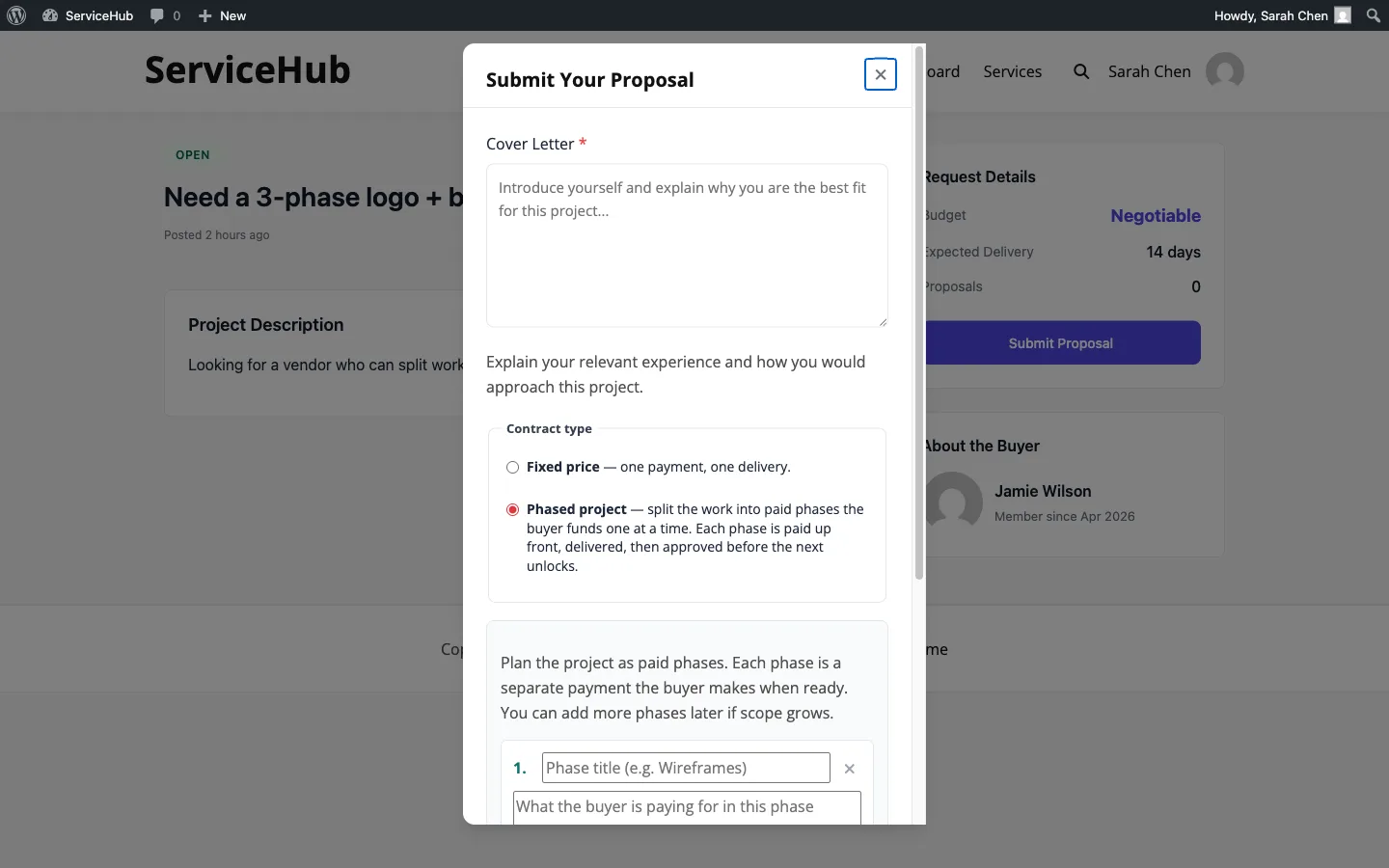
Buyer Requests & ProposalsWhen a vendor replies to a buyer request, they choose the contract type - Fixed or Milestone - before the buyer ever sees the proposal. This is an Upwork-style commitment: the buyer compares proposals with the contract shape locked in, accepts the one they prefer, and the order is created pre-wired for that flow.
Why contract type matters#
Two projects of the same dollar value can need very different payment rhythms:
- A $500 job with one deliverable is a fixed contract - single price, single delivery, buyer pays upfront.
- A $500 job split into four phases with separate reviews is a milestone contract - payment and approval happen phase by phase.
Putting the choice on the proposal lets the vendor pick the model that fits the work, and the buyer compare proposals with that shape in mind instead of renegotiating after acceptance.
The vendor journey#
Picking a contract type#
On the proposal form for a buyer request, the vendor picks one of two radio buttons before entering pricing:
- Fixed price - one amount, one delivery date. This is the original proposal flow.
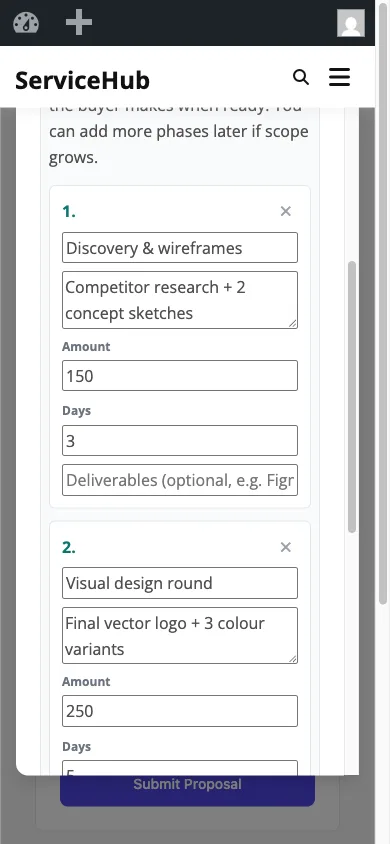
- Milestone-based - break the project into named phases. A repeater appears where the vendor enters each phase's title, description, amount, and days. The total is the sum of the phases.
Fixed contract#
A fixed proposal carries a single price and delivery estimate, exactly like the pre-1.1 flow. On acceptance, the buyer pays the full amount through checkout, the order starts in requirements collection, and delivery is handled through the standard order workflow.
Milestone contract#
A milestone proposal carries a list of phases. Each phase has a title, a description of what's delivered, an amount, and a days estimate. The vendor sees a live total at the bottom of the form so the breakdown always reconciles with what the buyer will see.
A single-phase milestone plan is allowed but reads awkwardly to buyers (it looks like a fixed proposal with extra steps). For one-shot jobs, pick Fixed. For anything multi-stage, pick Milestone.
The buyer journey#
Comparing proposals#
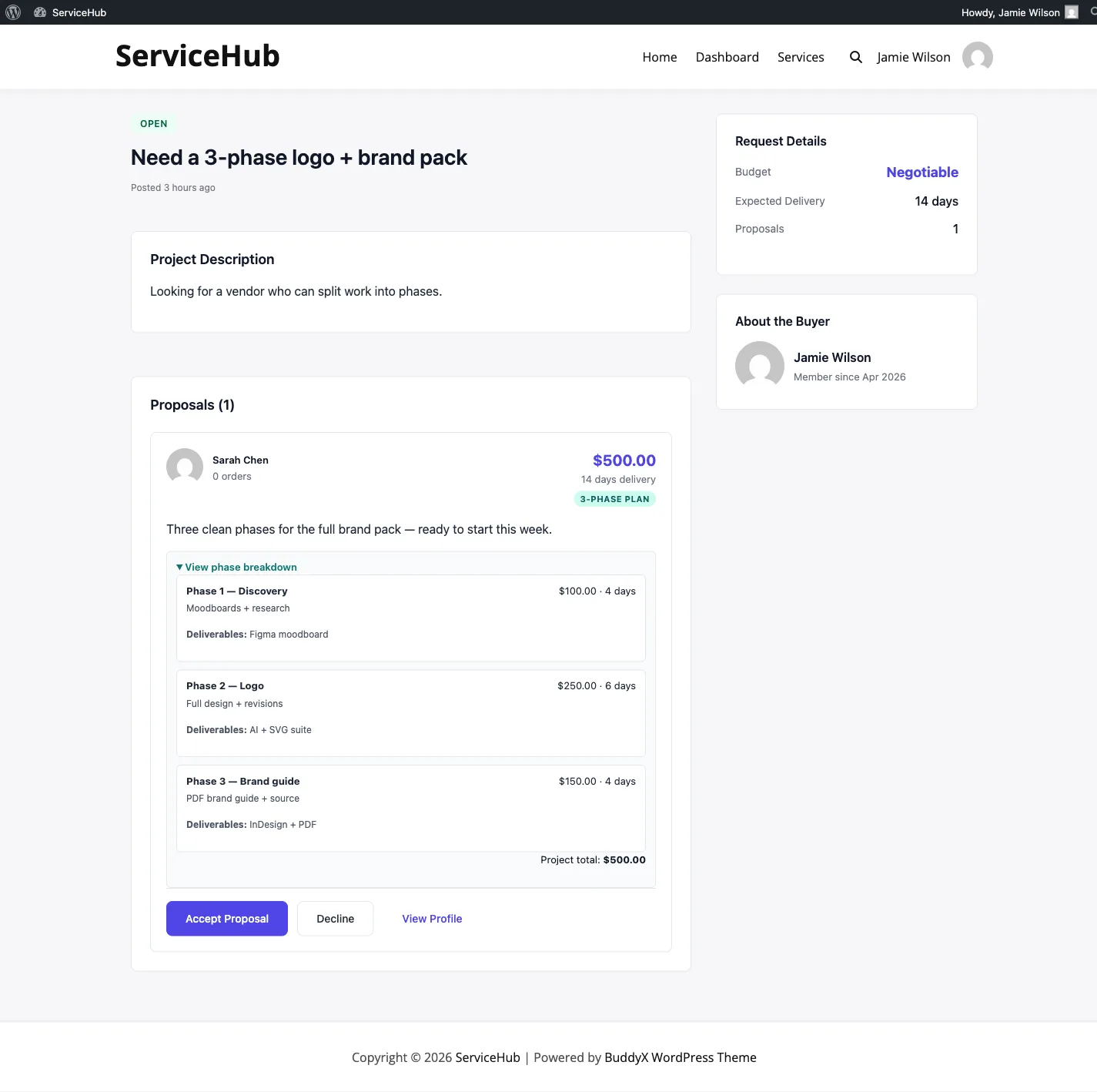
On the buyer-request page, each proposal shows a small badge next to the total so you can compare shapes at a glance:
Fixed · $5003 phases · $600
Expanding a milestone proposal shows the full phase list with titles, amounts, and days. You see the plan - not just the total - before deciding.
Accepting a proposal#
Fixed: clicking Accept takes you to checkout for the full amount. Once paid, the order is created in requirements collection and the vendor gets to work.
Milestone: clicking Accept creates the order immediately with all phases pre-populated in the timeline and the project marked as in-progress. You don't go through checkout for the whole project - that's $0 by design. You pay individual phases from the order page, starting with phase 1.
Paying phases in lock-step#
Milestone contracts pay in lock-step: phase N only becomes payable once every earlier phase is approved (or cancelled). Phase 1 is payable immediately on order creation; phases 2 and beyond sit as "Locked - pay phase 1 first" until it clears. The rule is enforced server-side too, so you can't skip ahead by editing a URL.
Once you approve a phase, the next one unlocks. Continue until every phase is approved - at which point the project auto-completes and you get the standard order-completed email and the Rate Your Experience prompt.
See the full lock-step behaviour in the Milestone Contracts doc.
What happens at acceptance#
| Fixed | Milestone | |
|---|---|---|
| Parent order total | Full proposal amount | $0 |
| Parent order status | pending_requirements |
in_progress |
| Checkout step | Required before order starts | Skipped - no parent-level payment |
| Phases pre-created | Not applicable | Yes, one row per proposed phase in pending_payment |
| First action | Buyer submits requirements | Buyer pays phase 1 |
Changes after acceptance#
Once the buyer accepts:
- The proposal itself is locked - the vendor can't edit terms after the fact.
- The vendor can still propose ad-hoc milestones during a milestone contract if the scope grows. Those are added to the timeline and paid individually, just like the predefined phases.
- Extensions are not available on a milestone contract - that flow is reserved for catalog orders (see Paid Extensions).
Tips#
For vendors:
- Pick Fixed for one-shot work, Milestone for multi-stage projects. Mismatching the contract type to the shape of the work makes it harder for the buyer to say yes.
- On milestone proposals, lead with deliverables per phase. Buyers don't just look at the total - they look at what they get per phase.
- Use ad-hoc milestones for real scope changes, not for restructuring phases that were already agreed. If phase 2 ends up being twice as big as you quoted, that's a conversation, not an ad-hoc.
For buyers:
- Read the full breakdown on milestone proposals before accepting. The accept click locks the plan in.
- Don't compare a fixed $500 proposal and a $500 milestone proposal on price alone - compare on deliverables per step.
- Once accepted, remember the lock-step rule. If you want to keep the project moving, approve phase deliveries promptly.