License Activation & Updates
Getting Started proPro feature. Available in WP Sell Services Pro.
WP Sell Services Pro uses a license key to unlock Pro features, deliver automatic updates, and give you priority support.
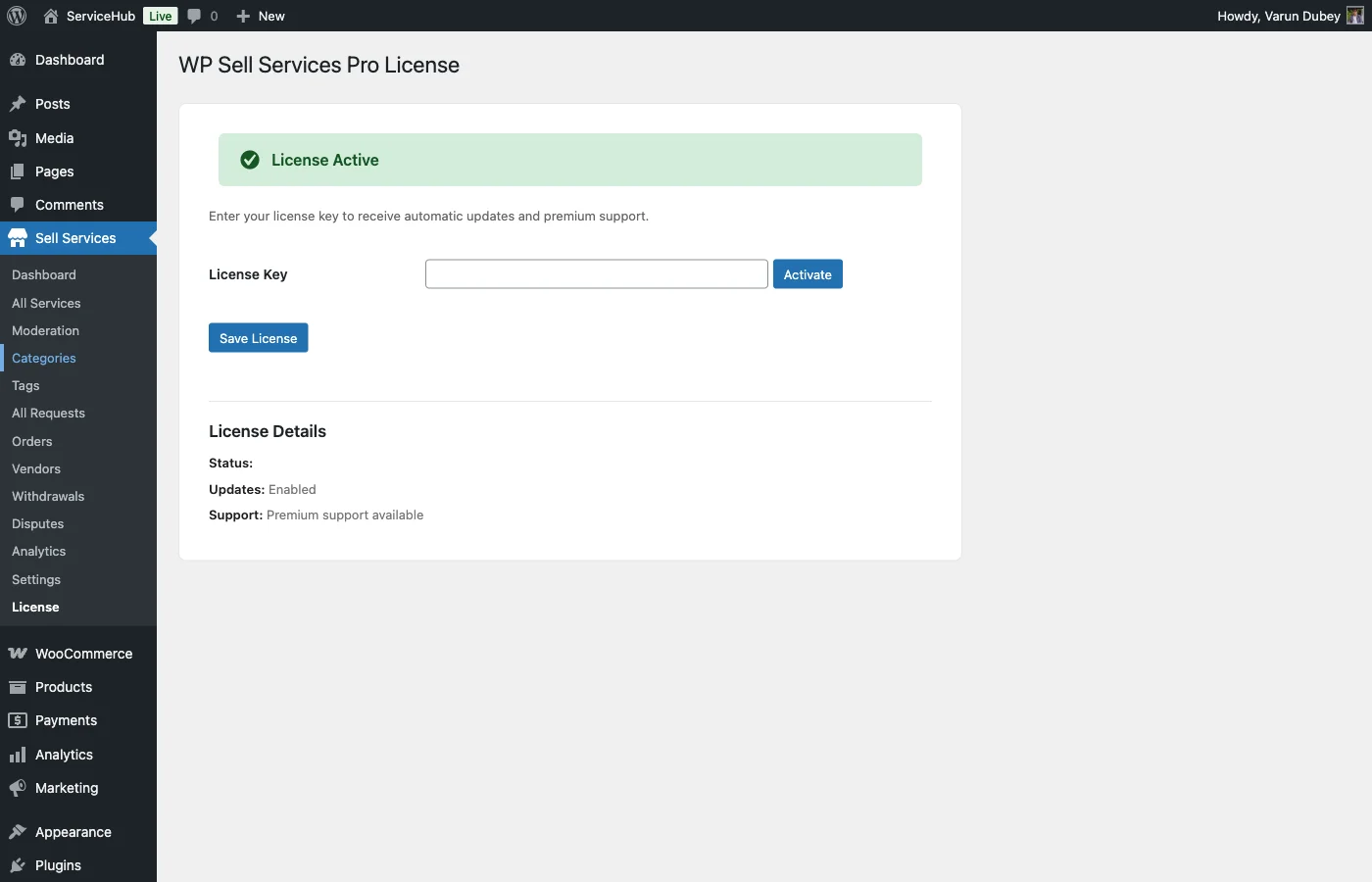
Activate your license#
- Buy Pro. Your key is in the purchase receipt email and on your account page at wbcomdesigns.com.
- Install and activate the free WP Sell Services plugin first, then Pro.
- In WordPress, go to Sell Services > License.
- Paste the key and click Activate License.
The License screen is its own menu item under Sell Services -- not a tab inside Settings.
Once the status reads active, your site receives Pro updates in Dashboard > Updates like any other plugin.
What the license controls#
Important: an inactive or expired license disables Pro features.
This is not an updates-only license. When the key is missing, invalid, or past its expiry date, WP Sell Services Pro loads only its License screen -- every other Pro feature stops initialising.
That includes:
- Stripe Connect, PayPal mass payouts, and the wallet providers
- Tiered commission rules
- Vendor subscriptions
- White-label branding
- Cloud storage (S3, GCS, DigitalOcean Spaces)
- Analytics and data export
- Display currency
- The raised service limits (gallery, add-ons, FAQs, requirements)
- WooCommerce, EDD, FluentCart, and Razorpay integrations
Your data is not deleted. Commission rules, subscriptions, wallet balances, and connected Stripe accounts all stay in the database, and reactivating the license brings the features back exactly as they were.
But the behaviour changes immediately, and some of it is customer-visible. If you run Stripe Connect, new orders stop splitting to vendor accounts and start accruing to the standard ledger instead. Renew before expiry rather than after, and treat the renewal date as an operational deadline, not a billing one.
Your marketplace keeps running#
The free plugin is unaffected. Services, orders, messaging, deliveries, disputes, reviews, commission, earnings, and withdrawals all keep working, because they live in the free plugin. What you lose is the Pro layer on top.
Checking status#
The License screen shows the current state and, where the store provides it, the
expiry date. A key marked lifetime never expires.
If activation fails, the screen reports the reason returned by the store -- an exhausted site limit and a mistyped key produce different messages, so read it before retrying.
"Active" with an empty key field is normal after an upgrade. Sites licensed on an older version of Pro carry a legacy activation flag, and the plugin honours it so that upgrading never silently switches Pro off. The key box renders empty because the current option has not been written yet -- Pro is genuinely active. Paste your key and activate again whenever convenient to move the site onto the current record.
Moving to a new site#
Deactivate on the old site first, then activate on the new one:
- On the old site, go to Sell Services > License and click Deactivate License. This frees the site slot.
- On the new site, paste the same key and click Activate License.
If you no longer have access to the old site -- it was deleted, or a client took it over -- contact support and we will free the slot for you.
Site limits#
How many sites one key covers depends on the plan you bought: typically a single site, a small bundle for developers, or unlimited for agencies. Your account page lists the limit and which sites are using it.
Staging and development copies count as sites unless your host serves them on a recognised staging domain. If you are unsure, deactivate before cloning.
Troubleshooting#
| Problem | What to do |
|---|---|
| Pro features missing after activating the plugin | Check Sell Services > License. Unlicensed, Pro registers only that screen. |
| "License key is invalid" | Re-copy the key from your account page -- a trailing space is the usual cause. |
| "No activations left" | Deactivate the key on a site you no longer use, or upgrade your plan. |
| Status active but no updates arrive | Your host may block outgoing requests to wbcomdesigns.com. Ask them to allow it. |
| Features disappeared without warning | The license has most likely expired. Check the expiry date on the License screen. |