Choosing the Right Package
Buyer GuideEvery service on the marketplace offers up to three pricing tiers -- Basic, Standard, and Premium. This guide helps you understand the differences and pick the package that fits your needs and budget.
How Packages Work#
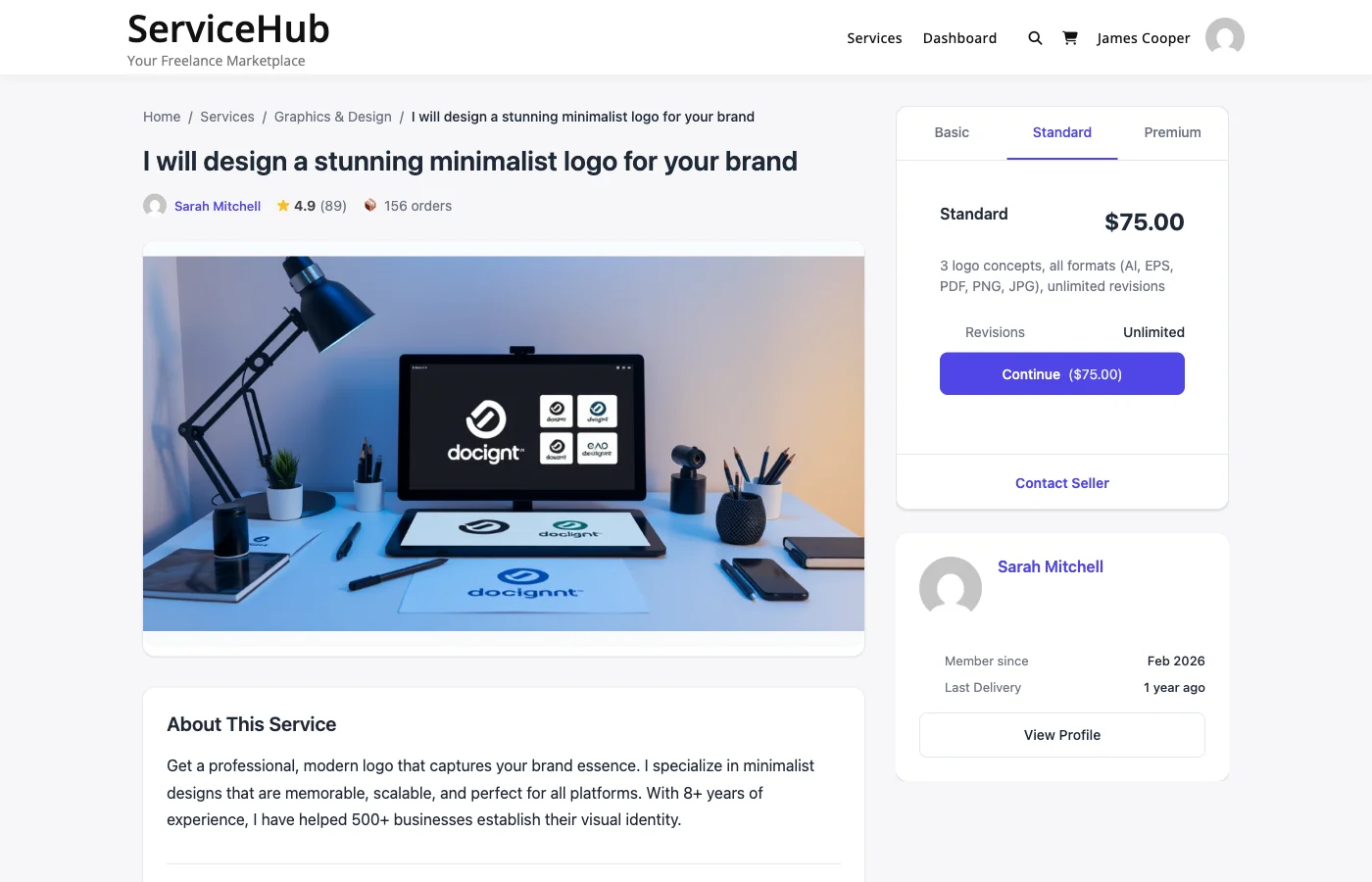
Vendors structure their services into tiers so you can choose the level of service that matches your project. Think of it like ordering a coffee -- small, medium, or large -- each with progressively more included.
| Tier | What to Expect |
|---|---|
| Basic | The essentials at the lowest price. Good for simple projects or trying a vendor for the first time. |
| Standard | The most popular choice. Includes more deliverables, faster delivery, or extra revisions. Usually the best value for money. |
| Premium | The full package. Everything included, often with the fastest delivery and unlimited revisions. Best for important or complex projects. |
Not every service has all three tiers. Some vendors only offer Basic, or Basic and Standard. The available packages are shown as tabs on the service page.
What to Compare#
When switching between package tabs, pay attention to these four things:
1. Price#
The price is shown prominently at the top of each package. Consider what you get for the difference in cost. If Standard is only 50% more than Basic but includes twice as many deliverables, that is usually the better deal.
2. Delivery Time#
Each package has its own delivery timeline. A Basic package might take 7 days while Premium takes 3. If you are on a tight deadline, a higher tier with faster delivery could save you from needing to request an extension later.
3. Revisions Included#
This is the number of times you can ask the vendor to make changes after delivery. Packages with more revisions give you more flexibility to refine the final result.
| Revisions | What It Means |
|---|---|
| 0 | The vendor delivers once. No changes included (you can still communicate during the order). |
| 1-2 | One or two rounds of feedback and adjustments. Good for straightforward projects. |
| 3-5 | Multiple revision rounds. Better for design work or projects where preferences are subjective. |
| Unlimited | As many revisions as you need. Ideal for brand-critical work. |
4. Features Checklist#
Each package lists specific deliverables. Features included in the package show a checkmark, and features not included show an X. Scan this list carefully -- the difference between tiers is often a few key features.
Example (Logo Design):
| Feature | Basic | Standard | Premium |
|---|---|---|---|
| Logo concepts | 1 | 3 | 5 |
| Revisions | 1 | 3 | Unlimited |
| Source files | -- | Included | Included |
| Brand guidelines | -- | -- | Included |
| Social media kit | -- | -- | Included |
Add-ons: Extra Options#
Some services offer add-ons -- optional extras you can attach to any package. Common add-ons include:
- Extra-fast delivery -- Get your order sooner for an additional fee
- Additional revisions -- More rounds of changes beyond what the package includes
- Extra deliverables -- More concepts, pages, words, or other units of work
- Source files -- Raw/editable files (if not included in your chosen package)
Add-ons are listed below the package details. Check the ones you want before clicking "Continue" -- their price is added to the package price to form your total.
How the Total Is Calculated#
Your order total is straightforward:
Package price + Add-on prices + Tax (if applicable) = Total
Example:
- Standard package: $150
- Extra-fast delivery add-on: $30
- Tax (10%): $18
- Total: $198
The total is shown on the "Continue" button and again at checkout before you confirm.
Which Package Should You Choose?#
Choose Basic if:#
- You have a simple, well-defined project
- You want to test a vendor's quality before committing to more
- Budget is your primary concern
- You do not need revisions or premium features
Choose Standard if:#
- You want the best balance of quality and price
- Your project has moderate complexity
- You want a few revision rounds for comfort
- You are looking for the "recommended" option (most vendors optimize Standard for value)
Choose Premium if:#
- Your project is complex or high-stakes
- You need the fastest turnaround
- You want unlimited revisions or the most comprehensive deliverables
- This is a brand-critical project where quality matters more than cost
Still Not Sure?#
If you cannot decide between packages, try these approaches:
- Message the vendor -- Use the contact button on their profile to ask which package fits your project. Good vendors will give you honest advice.
- Read reviews -- See what packages other buyers chose and what they thought of the results.
- Start with Standard -- When in doubt, the middle tier is designed to be the best value for most buyers.
- Post a buyer request -- Describe your project and let vendors come to you with proposals. They will recommend the right scope and pricing.
Related Guides#
- How to Find and Purchase a Service -- The full buying process
- Service Add-ons -- How add-ons work in detail
- Buyer Dashboard -- Manage your orders after purchase
- Tips for Getting Great Results -- Maximize value from your order