Paid Extensions
Order ManagementPaid extensions are small add-ons a vendor quotes on top of an already-paid catalog order. The buyer paid for the base scope, something extra comes up mid-order, the vendor quotes a price and extra days, and the buyer accepts or declines. No revision cycle, no delivery approval on the extension itself - it's a simple mid-order add-on.
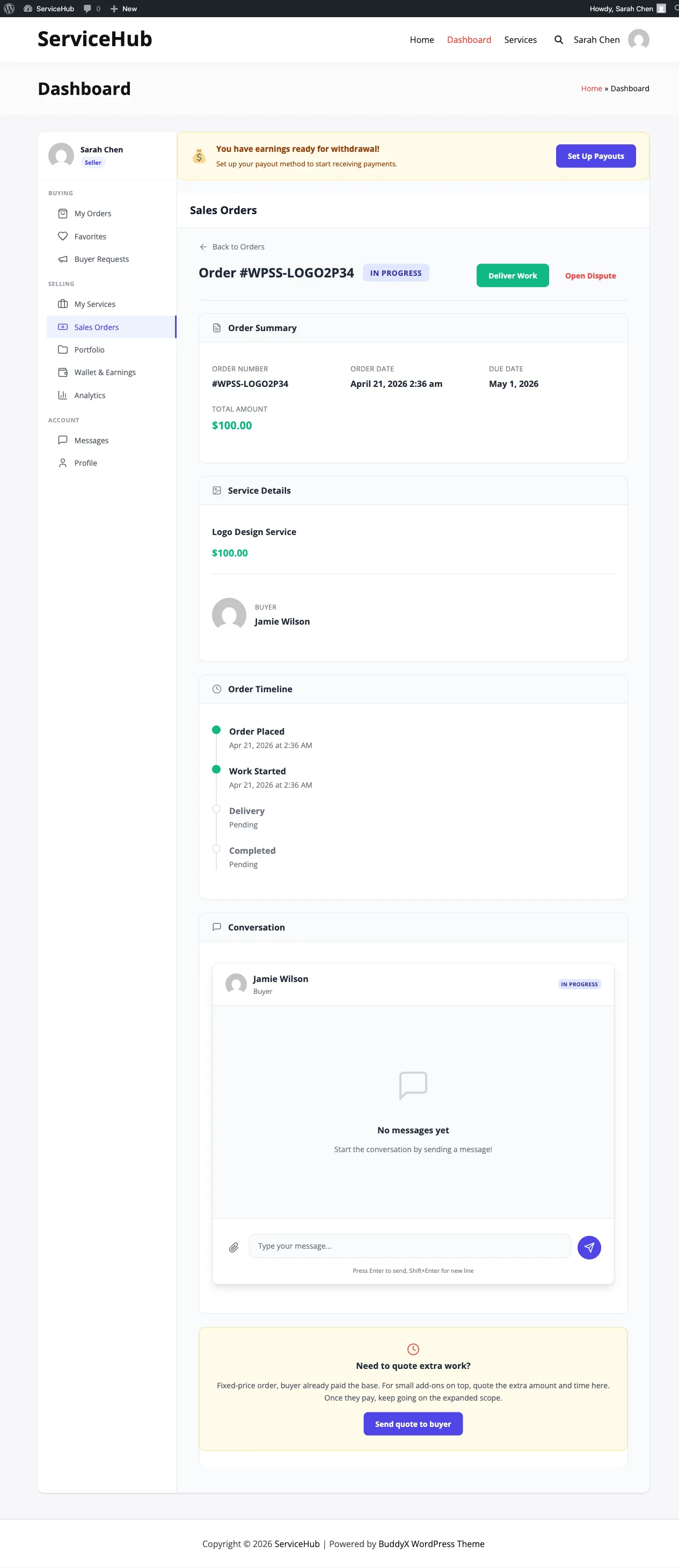
When to use a paid extension#
Paid extensions live on catalog orders - orders that came through the normal service checkout (Standalone, WooCommerce, EDD, FluentCart). These are fixed-price jobs where the buyer already paid the full amount upfront.
If the order is a custom project that started from a buyer request, use a Milestone Contract instead. Extensions and milestones are mutually exclusive - one order will only ever show one of the two CTAs, never both.
Good uses:
- "Can you also do a square-format version for Instagram?"
- "I need a rush turnaround - how much to shave 3 days off delivery?"
- "The logo looks great; can you extend the package to include stationery?"
Anything that's a small extra on top of the work the buyer already paid for.
Why extensions and milestones are separate#
Catalog services are fixed-price small jobs. The buyer paid the full amount at checkout. If scope creeps mid-order, the vendor quotes the extras - that's an extension. No phased payments, because the main job is already paid for.
Buyer-request orders are large custom projects. The scope was negotiated, the price was agreed in the proposal, and phased delivery makes sense - that's a milestone contract.
Both serve a real need; both would get in each other's way if shown on the same order. The plugin hides the irrelevant CTA based on the order's origin, and the backend refuses to create an extension on a buyer-request order (and vice versa) even if the UI is bypassed.
The vendor journey#
Quoting an extension#
- Open the in-progress catalog order from your dashboard.
- Click Quote for Extra Work (sometimes shown as "Request Extension" on older themes).
- Fill in:
- Amount - what you're charging for the extra work.
- Extra days - how many days added to the delivery deadline.
- Reason / what's delivered - plain-English description of what the buyer gets for the money. This shows on their view.
- Submit the quote.
The buyer receives an email and an in-app notification with the full quote details.
What happens when the buyer pays#
- The money is charged through the same gateway that took the original order payment.
- Your wallet is credited the net amount (platform commission is applied to the extension the same way it's applied to an order completion).
- The parent order's delivery deadline extends by the number of days in the quote.
- You keep working on the original order - the extension is an add-on, not a blocker.
What happens when the buyer declines#
- The extension sub-order is marked declined.
- The parent order's deadline doesn't change.
- You can send a revised quote immediately (different price, different days, or different scope).
Only one extension quote can be pending at a time per order. Once the buyer either accepts or declines, you're free to quote again if scope creeps further.
The buyer journey#
Receiving a quote#
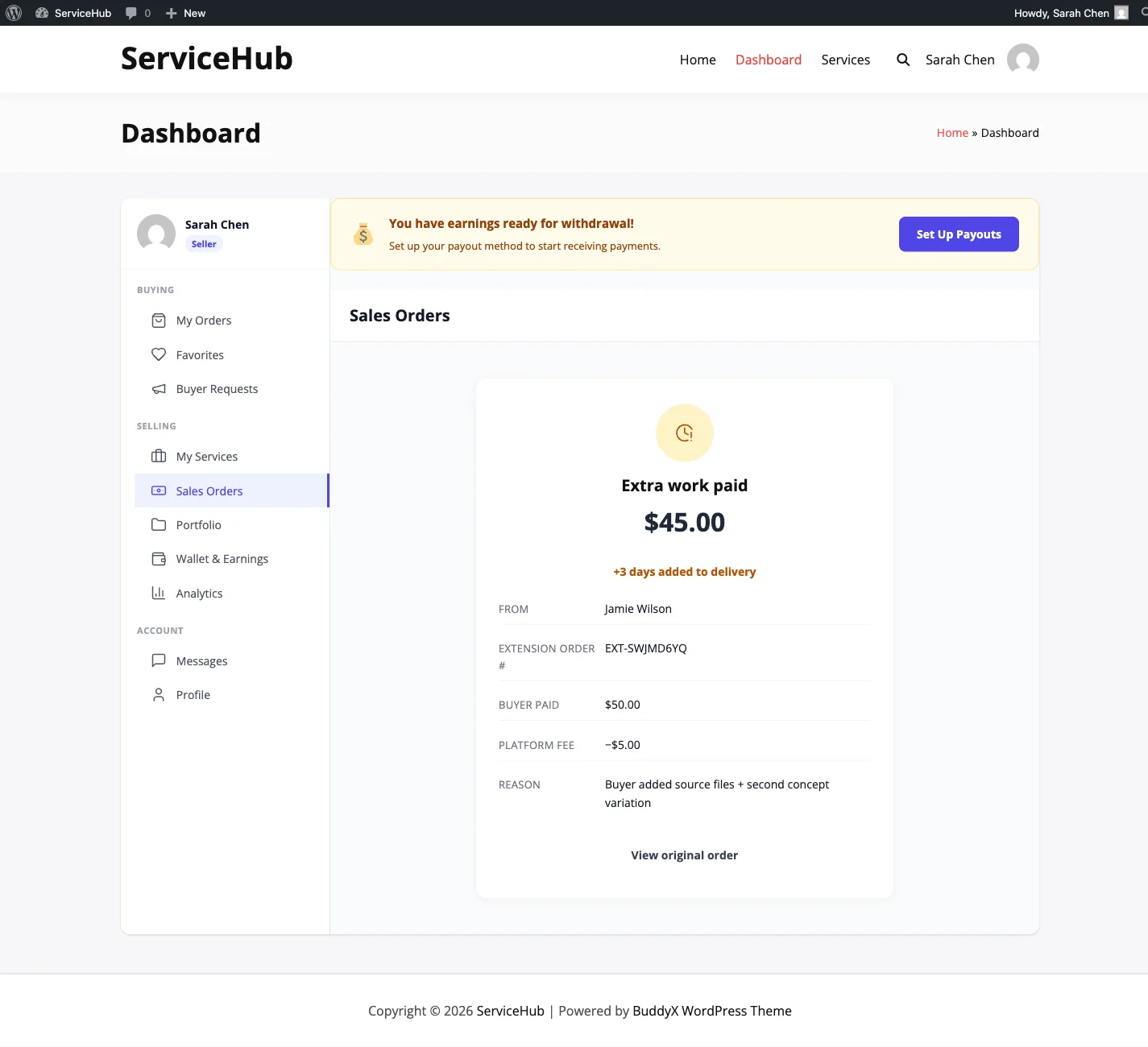
When the vendor quotes an extension, you see a card on the order page with:
- What the vendor is delivering for the extra money.
- The amount.
- How many days the deadline extends if you accept.
- Accept & Pay and Decline buttons.
Accepting#
Accept & Pay takes you to checkout for just the extension amount (not the whole order - you already paid for that). Once the payment clears:
- The vendor is credited immediately.
- Your order's delivery deadline pushes out by the quoted days.
- The order status doesn't change - the main order keeps moving.
Declining#
One click. The vendor is notified with whatever reason you gave. Your order's deadline doesn't change. If the vendor sends a revised quote you'll get another notification.
Extension rules at a glance#
- Vendors can quote when the order is In progress, Late, or Revision requested. Quotes can't be sent before requirements are collected or after the order is completed.
- One pending quote per order at a time.
- The reason must be at least 10 characters long - helps prevent "just send more money" quotes with no context.
- Maximum extra days is 14 by default (admin may configure a different cap on your marketplace).
How this compares to milestone contracts#
| Paid extension | Milestone contract | |
|---|---|---|
| Where it lives | Catalog orders (fixed-price) | Buyer-request orders (custom projects) |
| What the buyer already paid | Full order amount | $0 - all money goes through the phases |
| Flow | One quote · accept or decline | Multi-phase · pay each in lock-step |
| Effect on deadline | Extends by the quoted days | Each phase has its own days |
| Revision process | None on the extension itself (decline and re-quote) | Chat-based revisions per phase |
Tips#
For vendors:
- Quote promptly - don't sit on scope creep for days before asking.
- Describe what's delivered, not just the price. "+$50" is confusing; "+$50 for a square variant of each deliverable" is a yes.
- Keep extensions small. If the add-on is half the size of the original order, it's probably its own order.
For buyers:
- Read what's delivered before accepting. The price should match the scope, not feel arbitrary.
- If the quote feels off, decline and ask for a revised one in chat. Declines aren't hostile - they're part of the flow.