White Label Branding
Platform Settings proPro feature. Available in WP Sell Services Pro.
Make the marketplace yours. White Label replaces WP Sell Services branding with your own across the admin, the vendor dashboard, and transactional emails.
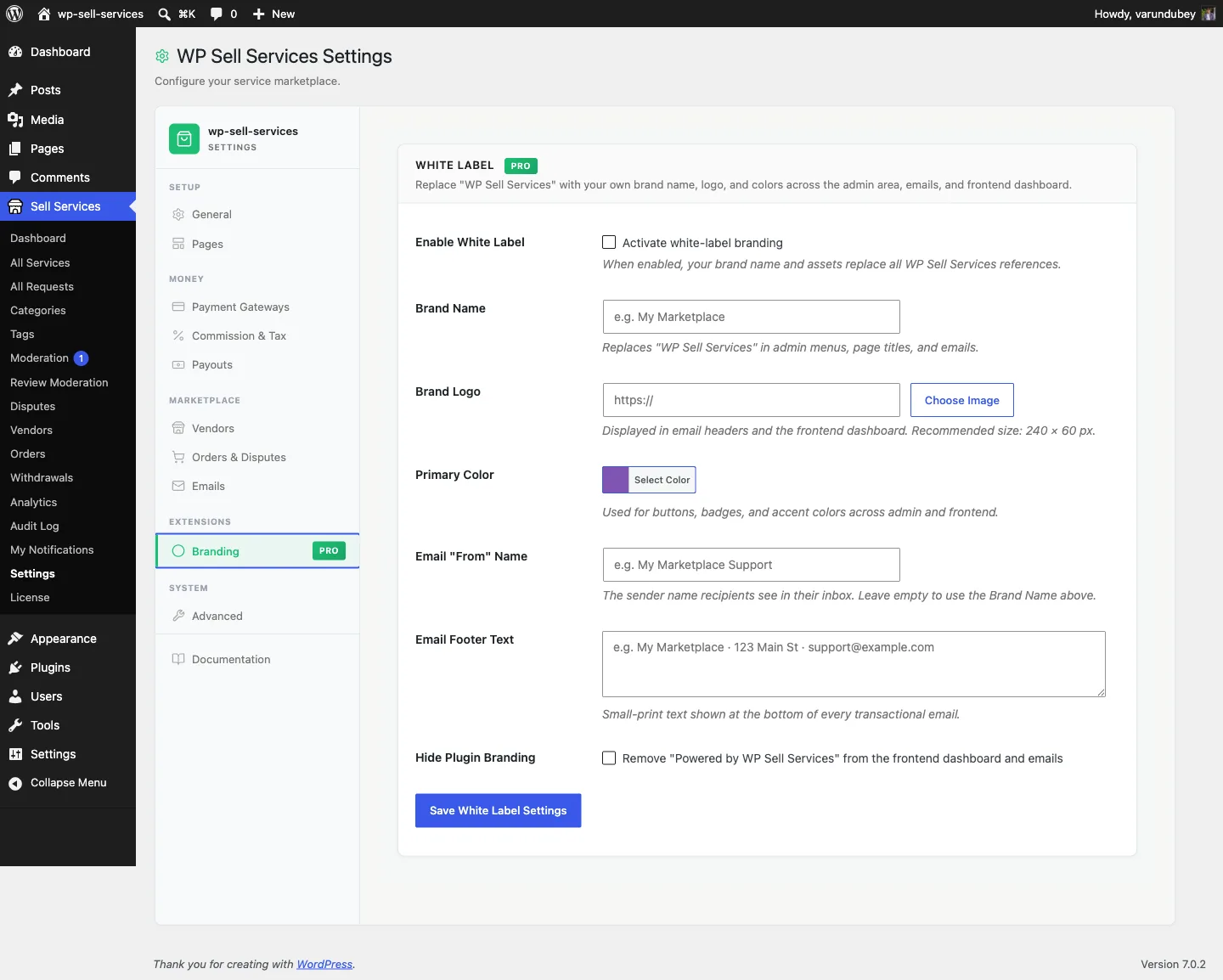
Setup#
- Go to Sell Services > Settings > Branding.
- Tick Enable -- nothing changes until you do.
- Fill in the fields below and save.
Branding applies immediately. There are no template edits and no CSS to write.
What you can brand#
| Setting | What it changes | Default |
|---|---|---|
| Brand name | The admin menu label, and the name shown in emails and the dashboard header | (empty -- uses the plugin name) |
| Logo | Shown in the vendor dashboard header and email headers. Recommended 240 x 60 px | (empty) |
| Primary colour | Accent colour across admin, dashboard, and email headers | #7f54b3 |
| Email footer text | Small-print line at the bottom of every transactional email | (empty) |
| Email from name | The sender name on every transactional email | (empty -- uses your site name) |
| Hide branding | Keeps the "powered by" credit off the vendor dashboard. The credit is already hidden by default and no email carries it, so this only matters if your theme or a snippet switches it back on | Off |
Brand name renames the admin menu#
Setting a brand name changes the Sell Services entry in your WordPress sidebar to whatever you choose. Worth knowing before you follow any other page in these docs: once branded, "Sell Services > Settings" becomes "Your Brand > Settings" on your site.
Email from name#
This changes the sender name on transactional emails, not the sending address.
The address still comes from WordPress or your SMTP plugin. If you want mail to
come from support@yourbrand.com, configure that in your SMTP plugin -- White
Label does not control it.
See Email Configuration.
What it does not change#
Be clear with clients about the boundary:
- The plugin's entry on the Plugins screen. WordPress shows the real plugin name, author, and description there. A site administrator can always see what is installed.
- Your theme. White Label brands the plugin's own screens. Site-wide colours, fonts, and layout remain your theme's job.
- The WordPress admin itself. Only the plugin's menu label and its own screens are affected.
For agencies#
White Label plus an agency license is built for client builds: ship a marketplace under the client's brand, with nothing to relabel at handover.
A practical order of operations:
- Build and test with branding off, so the docs and screenshots you are following match what you see.
- Turn branding on near the end, once the marketplace works.
- Set the brand name last -- after it changes, the admin navigation in these docs will no longer match your screen.
For developers#
Branding is applied through filters, so you can extend or override it:
| Filter / action | Purpose |
|---|---|
wpss_admin_menu_label |
The admin menu label |
wpss_email_from_name |
Sender name on transactional emails |
wpss_email_header_vars |
Logo and colours in email headers |
wpss_show_powered_by |
Whether the attribution renders |
wpss_dashboard_header |
Inject markup into the branded dashboard header |
Settings are stored in the wpss_white_label option. See
Hooks and Filters.