Managing Requests & Converting to Orders
Buyer Requests & ProposalsOnce you have posted a buyer request and proposals start coming in, this is where you evaluate vendors, accept the best offer, and manage the lifecycle of your request.
Your Requests Dashboard#
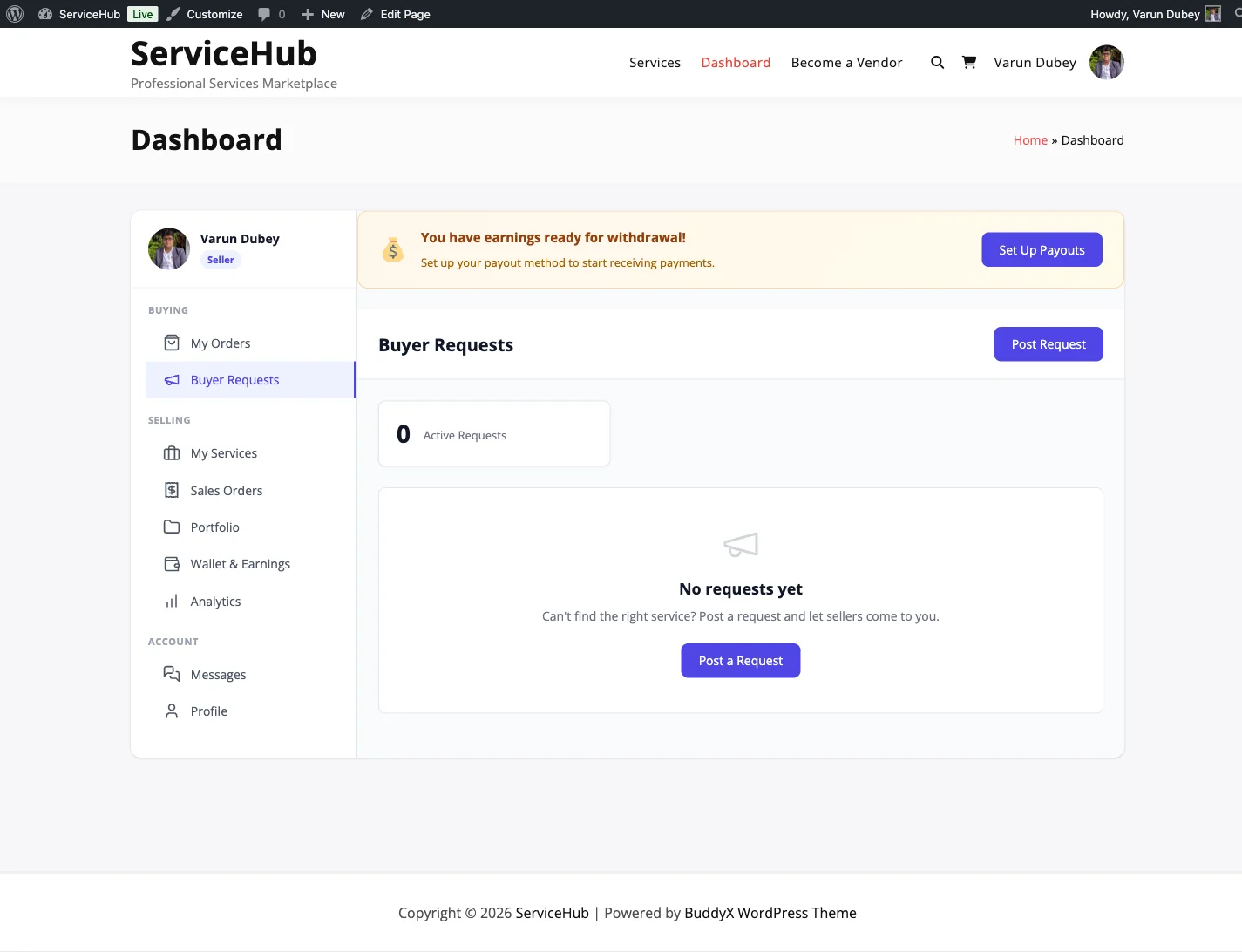
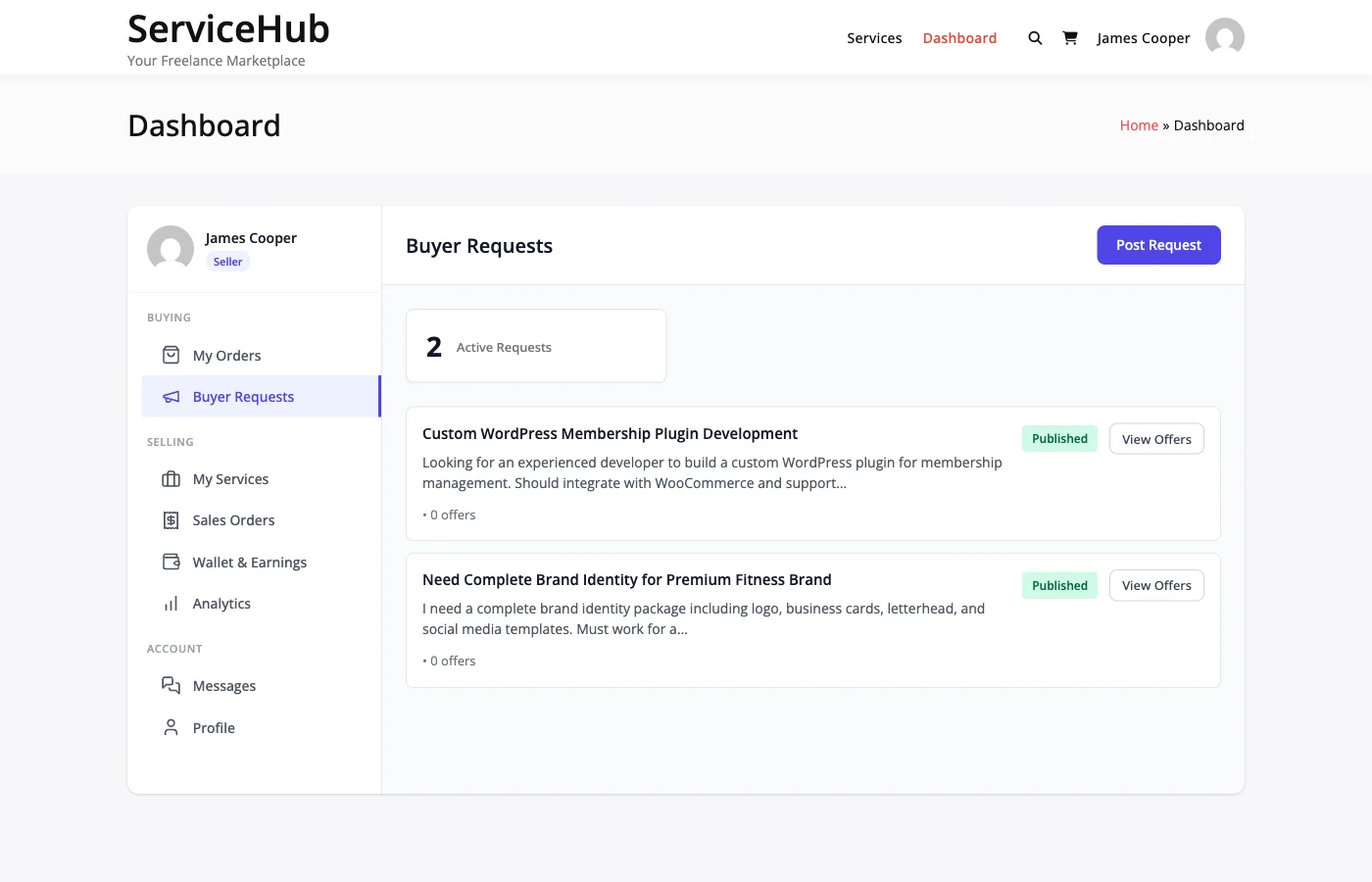
Go to Dashboard > Buyer Requests to see all your buyer requests at a glance. Each request card shows:
- Title and current status
- Number of proposals received
- Budget you set
- Desired delivery timeline
- Expiration date
- Category
Request Statuses#
| Status | What It Means |
|---|---|
| Open | Accepting proposals from vendors |
| In Review | You are evaluating proposals (still accepts new ones) |
| Hired | You accepted a proposal and an order was created |
| Expired | The request passed its deadline without an accepted proposal |
| Cancelled | You cancelled the request |
The most common flow is: Open > In Review > Hired.
Reviewing Proposals#
Click on any request to see all the proposals submitted by vendors. For each proposal, you can review:
- The vendor's profile, rating, and past reviews
- Their proposed price and delivery timeline
- Their cover letter explaining their approach
Take your time comparing. The cheapest option is not always the best -- look for vendors who clearly understand your project, have relevant experience, and communicate professionally.
Accepting a Proposal#
When you find the right vendor, click Accept Proposal. Here is what happens automatically:
- An order is created with the vendor's proposed price and timeline
- The accepted proposal is marked as accepted
- All other proposals are declined automatically
- Your request status changes to "Hired"
- The vendor is notified by email and in-app
- You are redirected to checkout to complete payment
After payment, the order moves to "In Progress" and the vendor begins work.
Rejecting Proposals#
If a proposal is not the right fit, you can reject it individually. The vendor is notified so they can move on to other opportunities. You are not required to reject proposals -- unaccepted ones are automatically declined when you accept a different vendor.
Editing a Request#
You can edit your request at any time while it is still open and no proposal has been accepted. Go to Dashboard > Buyer Requests, click Edit, make your changes, and click Update.
What you can change:
- Title and description
- Budget
- Category
- Attachments
What you cannot change:
- Requests that already have an accepted proposal
- Expired requests
- Files already attached, once a vendor has sent a proposal (see below)
Attachments After a Proposal#
Before any vendor has sent a proposal, you can add and remove attachments freely. Removing a file deletes it, and its link stops working.
After the first proposal arrives, the Remove button disappears from the files already on the request and a note explains why: vendors priced their proposals against that brief. You can still add new files. Check a file before attaching it at this stage, because it cannot be taken off afterwards.
Closing a Request#
If you no longer need the work done, click Close Request on your request page. The status changes to "Cancelled", vendors with pending proposals are notified, and the request is removed from public listings.
Reasons to close:
- Found a vendor outside the platform
- Project cancelled or requirements changed significantly
- Budget no longer available
Closing does not affect any orders that were already created from accepted proposals.
Deleting a Request#
Delete is offered on a request only while no vendor has sent a proposal. It moves the request to the trash. Once a proposal exists, the request can be closed but not deleted, because the proposal and the files attached to the request belong to that vendor's work too.
Request Expiration#
Requests expire after 30 days by default (your site admin may configure a different period). When a request expires:
- Status changes to "Expired"
- No new proposals can be submitted
- The request is hidden from vendor listings
- Existing proposals remain visible to you for reference
If you still need the work done, you can repost the request with updated details.
From Proposal to Order#
The transition from buyer request to active order is seamless. When you accept a proposal:
- The order is created with all the details from your request and the vendor's proposal
- Requirements from your request description are carried over
- A conversation thread is created so you and the vendor can communicate
- The standard order workflow takes over from there
For details on what happens next, see the Order Workflow guide.
Tips for Evaluating Proposals#
- Vendor experience -- Check their portfolio and past reviews
- Proposal quality -- Do they understand your requirements?
- Price -- Look for value, not just the lowest number
- Timeline -- Is their delivery estimate realistic?
- Communication -- Are they responsive and professional?
Common Questions#
Can I accept multiple proposals from one request? No. Only one proposal can be accepted per request. If you need multiple vendors, post separate requests.
What if no proposals come in? Try increasing your budget, improving your description, or checking that the category is correct. Give it 3-5 days before making changes.
Can I reopen an expired request? You can repost it with updated details. The original expired request remains in your history for reference.