Pricing Packages (Basic/Standard/Premium)
Service CreationEvery service uses a 3-tier pricing structure -- Basic, Standard, and Premium -- that lets vendors offer different levels of service at different price points. This gives buyers clear choices and helps vendors increase their average order value.
How It Works#
The Basic package is always required. Standard and Premium are optional -- vendors can enable them when they are ready to offer more.
| Package | Purpose | Required? |
|---|---|---|
| Basic | Your entry-level offering at the lowest price | Yes, always |
| Standard | The mid-tier option -- often the most popular choice | Optional |
| Premium | The complete solution with everything included | Optional |
Both the free and Pro versions support 3 packages. This structure is the same for everyone.
What Each Package Includes#
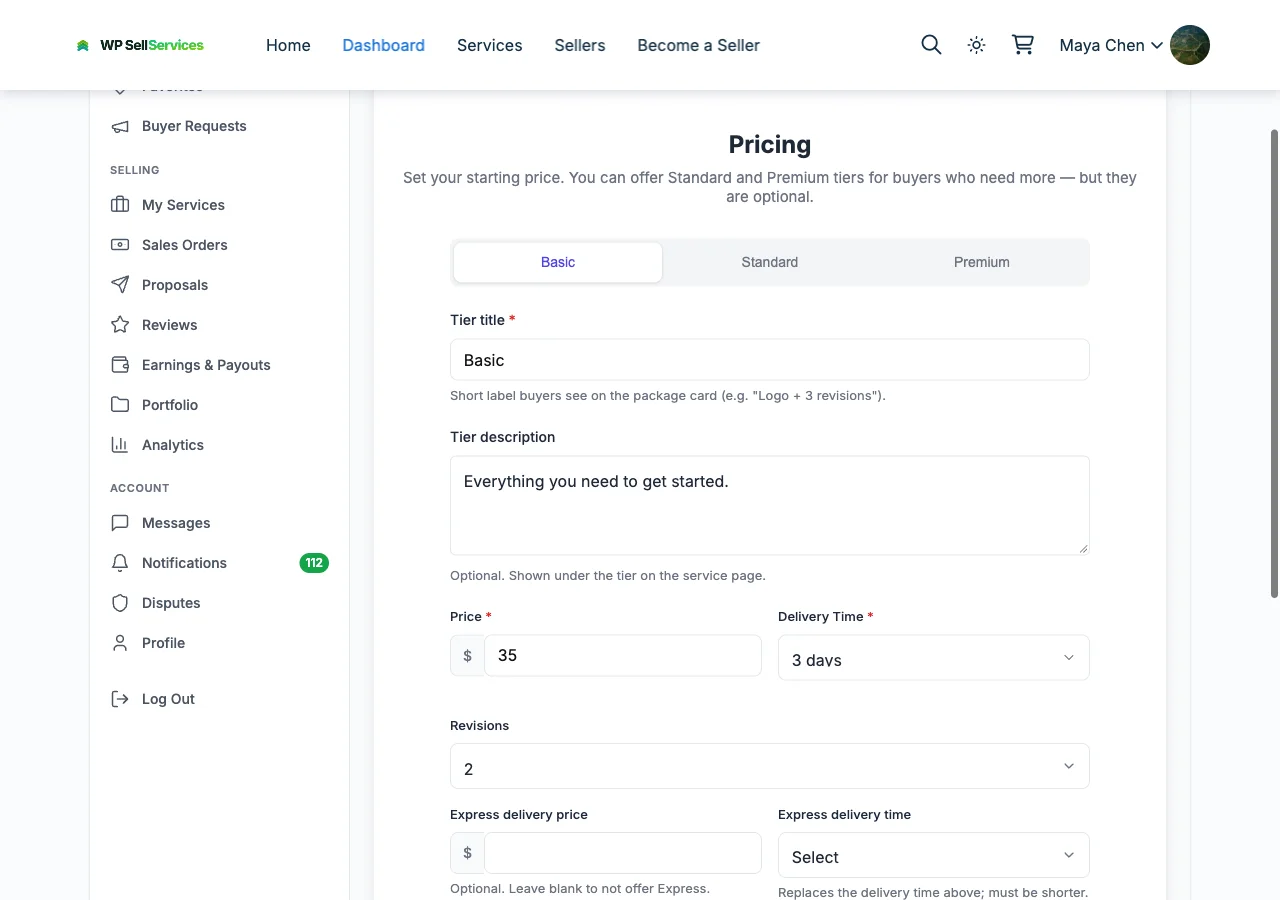
Every package has these fields:
| Field | What It Is |
|---|---|
| Name | Defaults to "Basic," "Standard," or "Premium" -- but vendors can rename them to anything |
| Description | A brief explanation of what is included in this tier |
| Price | The cost for this package (minimum $5 for Basic) |
| Delivery time | How long the vendor has to complete the work (1 to 30 days) |
| Revisions | How many rounds of changes the buyer gets (0 to 5, or unlimited) |
| Features list | A checklist of specific deliverables included |
How Buyers See Packages#
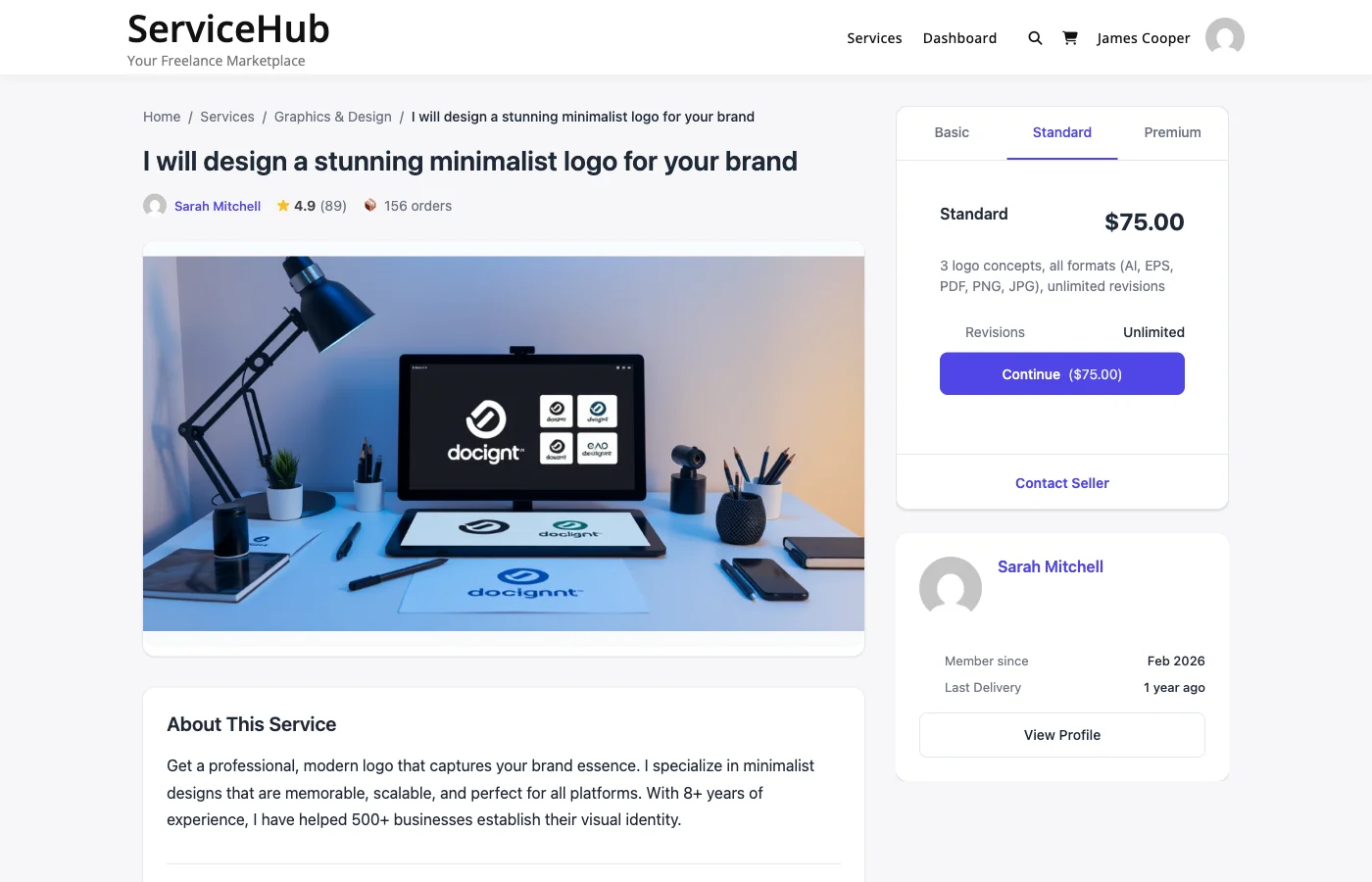
On the service page, packages are displayed side by side in a comparison view. Buyers can quickly see the differences between tiers and choose the one that fits their needs and budget.
Each package shows:
- The price prominently displayed
- Delivery timeline
- Number of revisions included
- Feature checklist with visual indicators
Buyers click "Select" on their chosen package to proceed to checkout.
Pricing Strategy Tips#
Set the Right Price Ratios#
A good rule of thumb:
- Basic -- Your base price
- Standard -- 1.5x to 2x the Basic price
- Premium -- 2.5x to 3.5x the Basic price
Example:
- Basic: $100
- Standard: $150 (1.5x)
- Premium: $300 (3x)
Make Each Tier Clearly Different#
Each package should offer noticeably more value than the one below it. If the differences are too small, buyers will just pick Basic. If they are too large, the jump feels unreasonable.
Good differentiation example (Web Design):
| Basic | Standard | Premium | |
|---|---|---|---|
| Pages | 5 | 10 | 20 |
| Revisions | 1 | 3 | Unlimited |
| Contact form | Yes | Yes | Yes |
| Blog setup | -- | Yes | Yes |
| E-commerce | -- | -- | Yes |
| Delivery | 7 days | 10 days | 14 days |
Common Pricing Models#
Fixed deliverable -- Same type of work, different quantities:
- Basic: 1 logo concept
- Standard: 3 logo concepts
- Premium: 5 logo concepts + brand guidelines
Feature tiers -- More features at each level:
- Basic: Blog post (500 words)
- Standard: Blog post (1,500 words) + SEO optimization
- Premium: Blog post (3,000 words) + SEO + social media graphics
Speed-based -- Same deliverable, faster turnaround:
- Basic: 7-day delivery
- Standard: 3-day delivery
- Premium: 24-hour delivery
Make Standard the Best Value#
Most buyers choose the middle option. Make your Standard package the one with the best value-to-price ratio, and it will naturally become your most popular tier.
Best Practices#
- Use round numbers -- $100 converts better than $97 for services
- List features in order of importance -- Put the most appealing items first
- Keep descriptions concise -- Buyers skim, so make every word count
- Include enough revisions -- Too few revisions lead to disputes; too many can be unsustainable
- Set realistic delivery times -- Over-promising leads to late orders and bad reviews
- Test and adjust -- Try different price points and see what converts best for your marketplace
Related Guides#
- Service Creation Wizard -- The full service creation process
- Service Add-ons -- Extra options buyers can add on top of packages
- Publishing and Moderation -- What happens after you set your pricing