Tiered Commission Rules
Earnings & Wallet proPro feature. Available in WP Sell Services Pro.
Replace a single flat commission rate with rules that resolve automatically: by service category, by vendor level, or by sales volume. The right rate is picked at checkout without you touching anything.
Free already gives you a global rate and per-vendor overrides. Tiered rules are for when "which rate applies" is a question about the sale, not about a specific vendor you hand-picked.
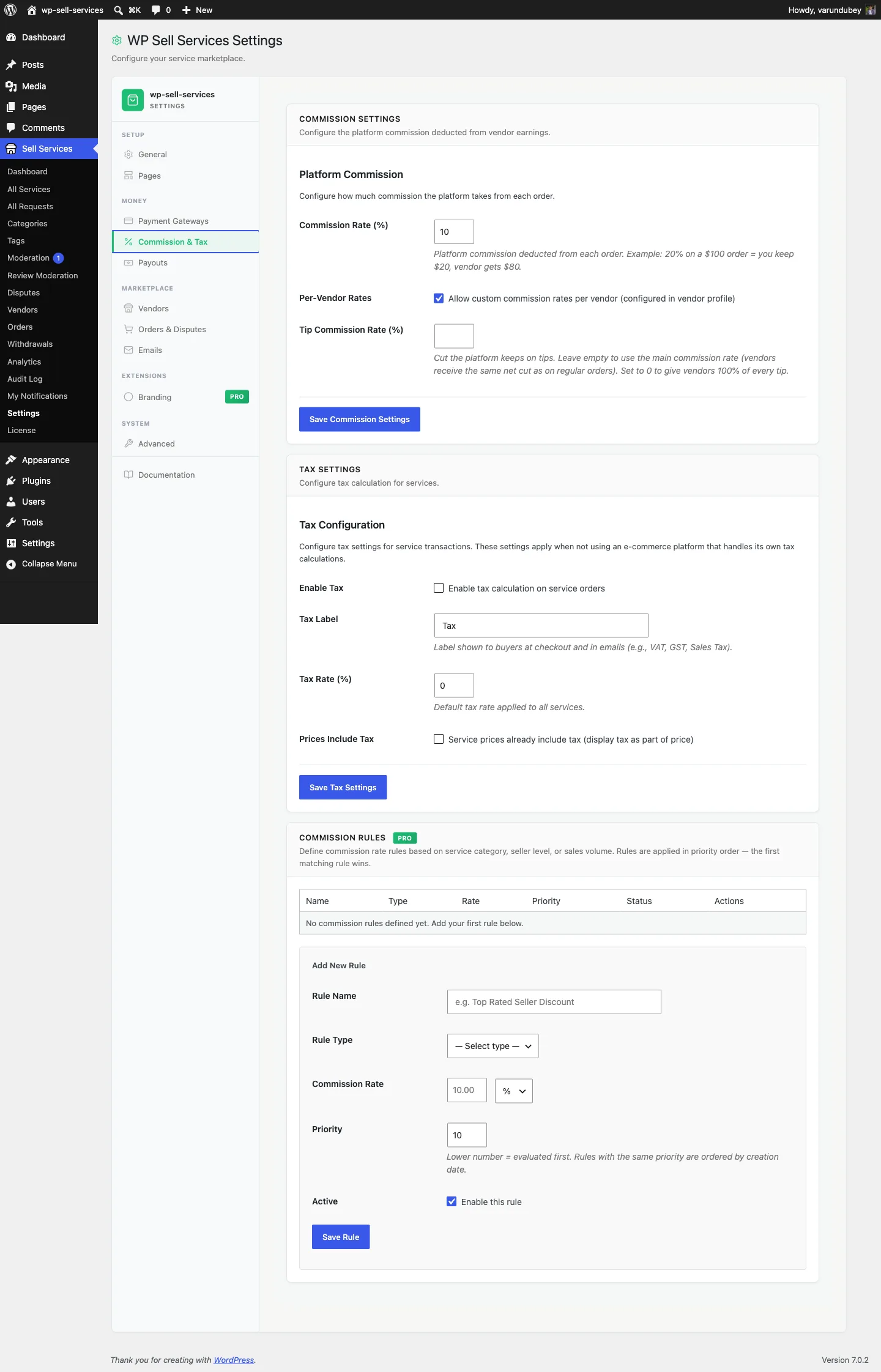
The three rule types#
| Type | Matches on | Typical use |
|---|---|---|
| Category | The service's category | Design pays 15%, Writing pays 20% |
| Vendor level | The vendor's level (New, Rising, Top Rated) | Reward Top Rated vendors with 10% instead of 20% |
| Volume | The vendor's lifetime completed sales | Vendors over $10k in lifetime sales drop to 12% |
Every rule needs its condition: a category rule needs at least one category, a seller-level rule a level, and a volume rule a lifetime-sales threshold above zero. A rule without one is refused when you save it, instead of being saved and never applying.
Creating rules#
- Go to Sell Services > Settings > Commission & Tax.
- Find the Tiered Commission card.
- Add a rule: pick the type, what it matches, and the rate.
- Set a priority number.
- Save. Rules can be deactivated without deleting them.
How a rate is chosen#
Rules are evaluated in ascending priority order -- lowest number first -- and the first rule that matches wins. Evaluation stops there; later rules are not consulted, and rates are never averaged or stacked.
The default priority is 10, so give your most specific rules a lower number.
priority 5   Vendor level = Top Rated       ->  10%
priority 10  Category = Design              ->  15%
priority 20  Volume over $10,000 lifetime  ->  12%
A Top Rated designer in the example above pays 10%, because the seller-level rule is evaluated first. If you wanted category to win for that vendor, give the category rule the lower number.
If no rule matches, resolution falls back through:
- A matching tiered rule (this page)
- The vendor's per-vendor custom rate, if set (free)
- The global commission rate (free)
A vendor subscription plan can also carry a commission override, applied when present -- see Vendor Subscription Plans.
Preview before you commit#
The commission-rules REST endpoint exposes a preview route that resolves which
rule would apply to a given vendor, category, and amount without saving
anything. Use it to sanity-check a rule set, or to explain a rate inside your own
UI. See REST API Controllers.
How the rate is recorded#
The resolved rate computes the platform fee and vendor earnings once, at payment time, and both are stored on the order. Earnings, the vendor ledger, payouts, analytics, refunds, and the Stripe Connect application fee all read that stored figure.
This means changing a rule does not rewrite history. Orders already paid keep the rate they settled at, and a refund reverses proportionally at the original rate rather than today's.
Worked examples#
- Top Rated vendors pay 10 percent instead of 20.
- The Design category pays 15 percent.
- Vendors with over $10k in lifetime completed sales drop to 12 percent. The total is every completed order, not a monthly figure, so a vendor who passes the threshold stays on the lower rate.
- A specific enterprise vendor pays a flat 5 percent -- use a per-vendor rate (free), not a tiered rule. Tiered rules are for classes of sale, not individuals.
For developers#
The tiered manager hooks the free plugin's wpss_commission_rate filter at
priority 20 -- deliberately later than the default 10 -- so per-vendor overrides
set by other code are not clobbered silently. Flat (non-percentage) fees go
through wpss_commission_fee instead.
See Pro Extension Points.
Related#
- Commission System -- global and per-vendor rates (free)
- Paying Your Vendors
- Vendor Levels